
Setup Wildcard SSL Certificates with Traefik
A wildcard certificate (e.g. *.coolify.io) covers every subdomain under a single domain with one certificate. Because Traefik does not need to request a new cert for each resource, new deployments become reachable over HTTPS immediately instead of waiting for ACME issuance.
Prerequisites
- Traefik must already be using the DNS challenge — wildcard certificates cannot be issued via the HTTP challenge. If you haven't switched yet, follow the DNS challenge guide first.
- A wildcard DNS
Arecord pointing to your server, e.g.*.coolify.io→ your server's IP.
Configuration
With the DNS challenge already in place, open Servers → your server → Proxy and add the three highlighted labels to the Traefik configuration:
labels:
  - traefik.enable=true
  - traefik.http.routers.traefik.entrypoints=http
  - traefik.http.routers.traefik.service=api@internal
  - traefik.http.routers.traefik.tls.certresolver=letsencrypt
  - traefik.http.routers.traefik.tls.domains[0].main=coolify.io
  - traefik.http.routers.traefik.tls.domains[0].sans=*.coolify.io
  - traefik.http.services.traefik.loadbalancer.server.port=8080
  - coolify.managed=true
  - coolify.proxy=true
These labels tell Traefik to request a single certificate whose SAN covers both the apex (coolify.io) and the wildcard (*.coolify.io). Replace coolify.io with your own domain.
Restart the proxy after saving. Once the certificate is issued, you have two options for applying it to your resources.
Normal
Use this if each resource lives on its own subdomain and you want them all served by the single wildcard certificate.
- In your application, set the Domain to a subdomain such as
https://example.coolify.ioand press save.
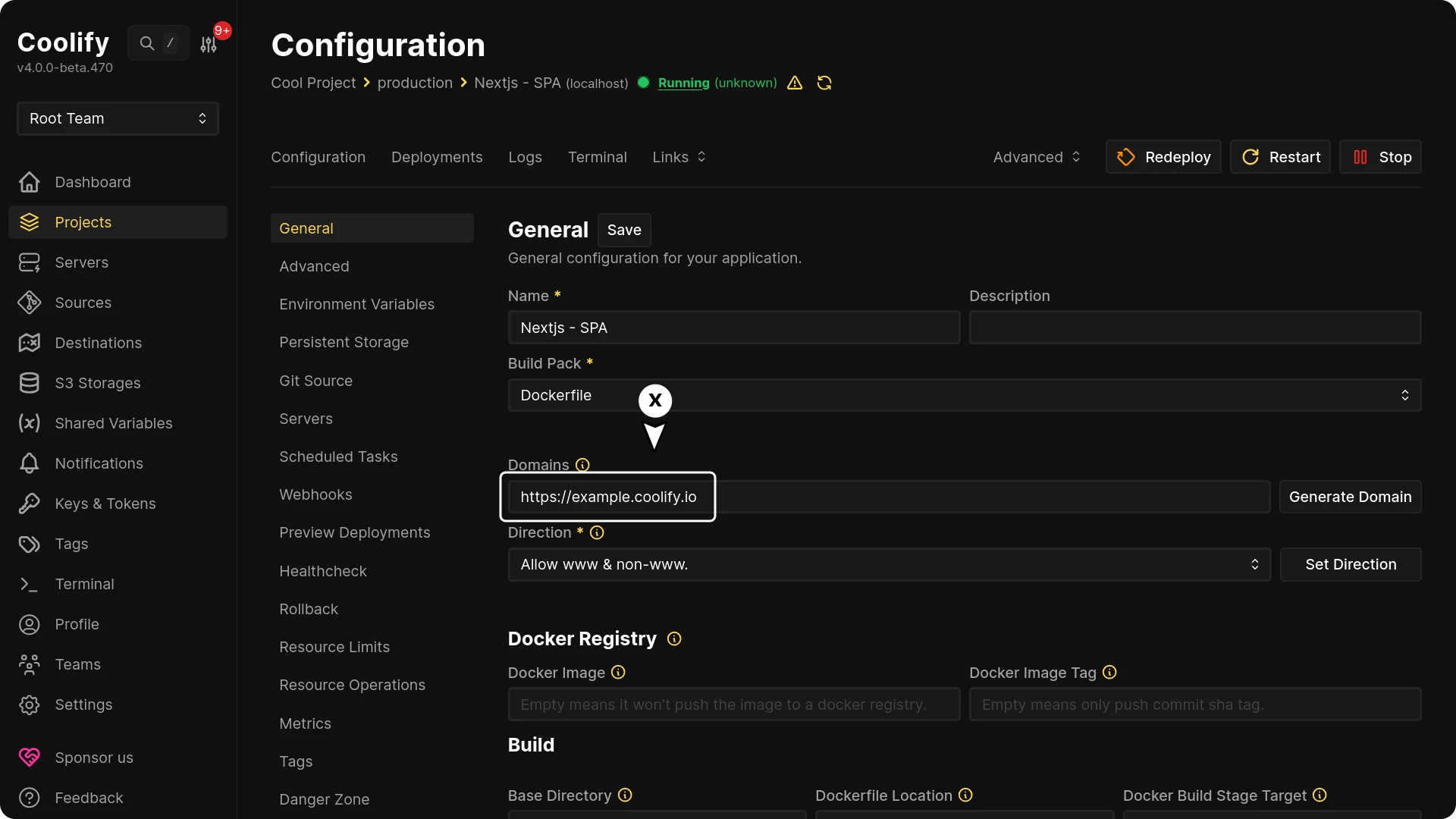
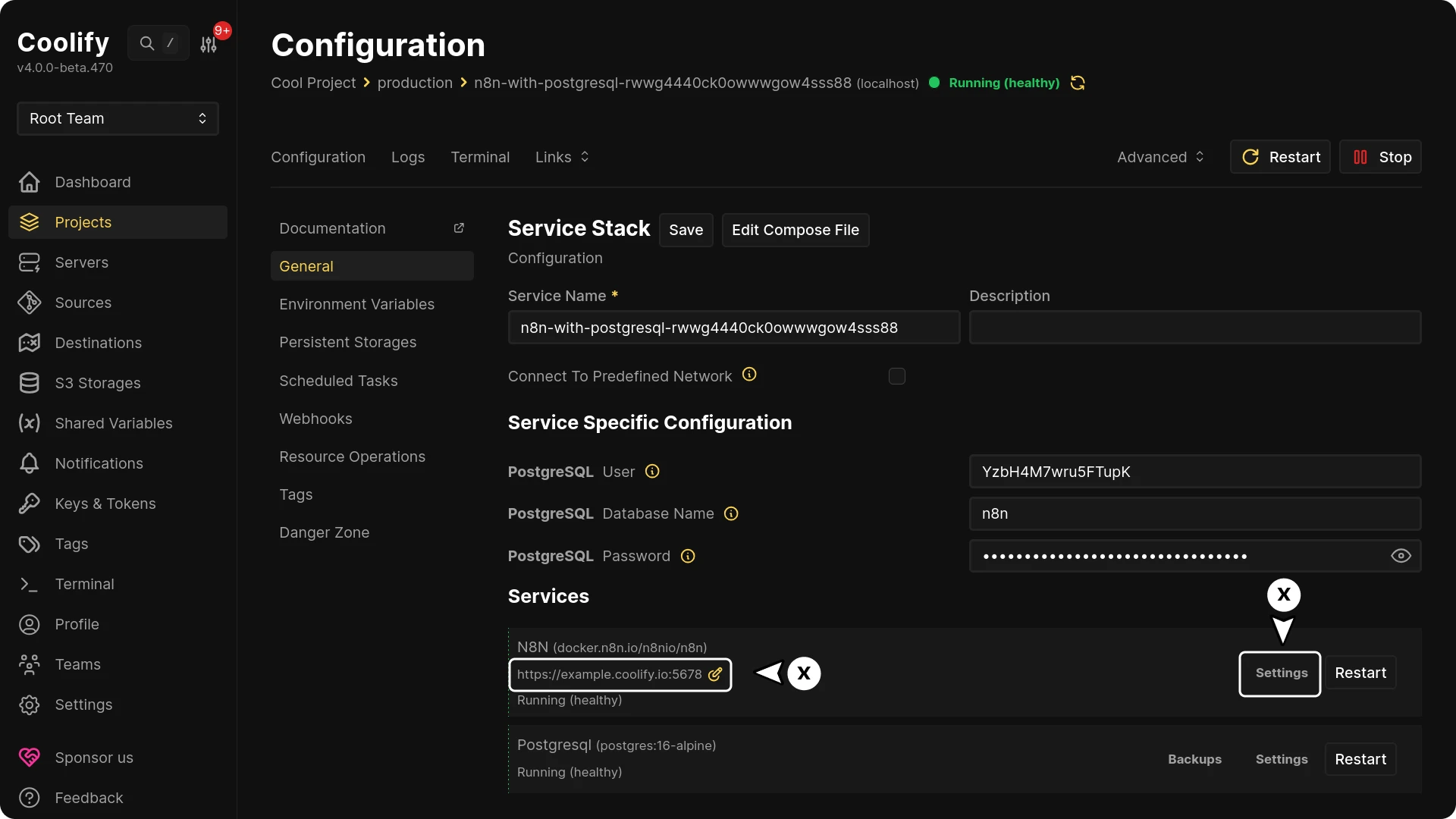
Because the wildcard cert already covers *.coolify.io, Traefik reuses it for every new resource — no per-deployment ACME round trip.
SaaS — route every subdomain to one application
Use this if one application should respond to every subdomain (for example, a multi-tenant SaaS where each tenant gets their own subdomain).
- Leave the application's Domain field empty.
- Add the following custom labels:
traefik.enable=true
traefik.http.routers.<unique_router_name_http>.entryPoints=http
traefik.http.routers.<unique_router_name_http>.middlewares=redirect-to-https
traefik.http.routers.<unique_router_name_http>.rule=HostRegexp(`^.+\.coolify\.io$`)
traefik.http.routers.<unique_router_name_https>.entryPoints=https
traefik.http.routers.<unique_router_name_https>.middlewares=gzip
traefik.http.routers.<unique_router_name_https>.rule=HostRegexp(`^.+\.coolify\.io$`)
traefik.http.routers.<unique_router_name_https>.service=<unique_service_name>
traefik.http.routers.<unique_router_name_https>.tls.certresolver=letsencrypt
traefik.http.routers.<unique_router_name_https>.tls=true
traefik.http.services.<unique_service_name>.loadbalancer.server.port=80
traefik.enable=true
traefik.http.routers.<unique_router_name_http>.entryPoints=http
traefik.http.routers.<unique_router_name_http>.middlewares=redirect-to-https
traefik.http.routers.<unique_router_name_http>.rule=HostRegexp(`{subdomain:[a-zA-Z0-9-]+}.coolify.io`)
traefik.http.routers.<unique_router_name_https>.entryPoints=https
traefik.http.routers.<unique_router_name_https>.middlewares=gzip
traefik.http.routers.<unique_router_name_https>.rule=HostRegexp(`{subdomain:[a-zA-Z0-9-]+}.coolify.io`)
traefik.http.routers.<unique_router_name_https>.service=<unique_service_name>
traefik.http.routers.<unique_router_name_https>.tls.certresolver=letsencrypt
traefik.http.routers.<unique_router_name_https>.tls=true
traefik.http.services.<unique_service_name>.loadbalancer.server.port=80Note
-
<unique_router_name_https>.tls.certresolvermust match the resolver name in your Traefik proxy configuration —letsencryptby default. -
<unique_service_name>.loadbalancer.server.portmust match the port your application listens on (use80for static deployments).
Read more about the HostRegexp rule in the official Traefik documentation.
Caution
Your application or service needs to restart for domain changes to take effect.
DNS Challenge
Switch Traefik from HTTP challenge to DNS challenge for ACME (Let's Encrypt) certificates — required for wildcard certs or servers without a public port 80.
Authentik Forward Authentication Middleware
Secure Coolify services with Authentik SSO forward authentication using Traefik middleware for proxy provider single sign-on protection.