
Terminal Access
The Terminal Access feature allows you to enable or disable terminal access for your server and all containers running on it — directly from the Coolify dashboard.
This feature provides centralized control over terminal access, enhancing security by allowing administrators to quickly restrict access when needed.
IMPORTANT
This feature is introduced in v4.0.0-beta.419. To follow this guide, you must be using v4.0.0-beta.419 or a higher version.
How to use Terminal Access
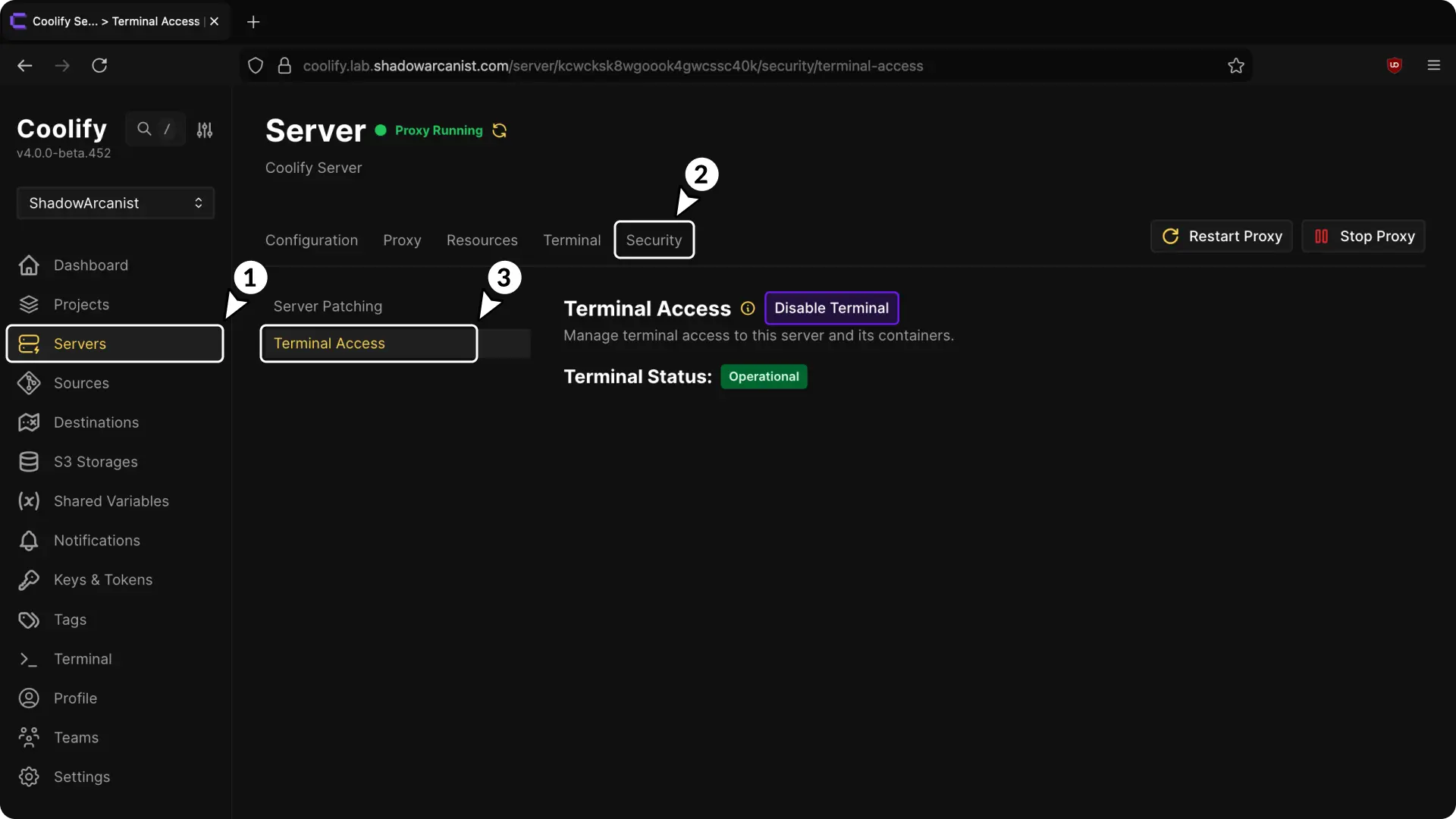
- Go to the Servers section in the sidebar.
- Select your server from the list.
- Navigate to the Security tab.
- Locate the Terminal Access section.
- Click Disable Terminal button to disable terminal (or click Enable Terminal button if currently disabled)
Important
Disabling Terminal Access affects all terminals on the server and its containers. Even root and admin users will be blocked. This setting cannot be overridden per container.
Terminal Access Permissions
As of v4.0.0-beta.452, only the root user and admin users have permission to modify the Terminal Access setting.
When terminal access is disabled:
- No users can access terminals for the server
- No users can access terminals for any containers on that server
- This restriction applies even to root and admin users
- The restriction takes effect immediately
That's it! You now have full control over terminal access for your servers and containers.
Server Patching
Update server packages from Coolify dashboard with APT, DNF, and Zypper support including individual or batch updates and weekly notifications.
Introduction
Configure S3-compatible storage for Coolify backups including AWS, DigitalOcean Spaces, MinIO, Cloudflare R2, Supabase Storage, Backblaze B2, and Scaleway Object Storage.