
GitHub Auto Deploy
Coolify can automatically deploy new versions of your application whenever you push changes to your GitHub repository.
There are three methods to set up automatic deployments on Coolify:
GitHub App
We have a dedicated guide for setting up a GitHub App, which you can follow here: /github/setup-app.
Coolify automatically enables "Auto Deploy" after you set up your GitHub App. If it doesn't, enable it on your application by following these steps:
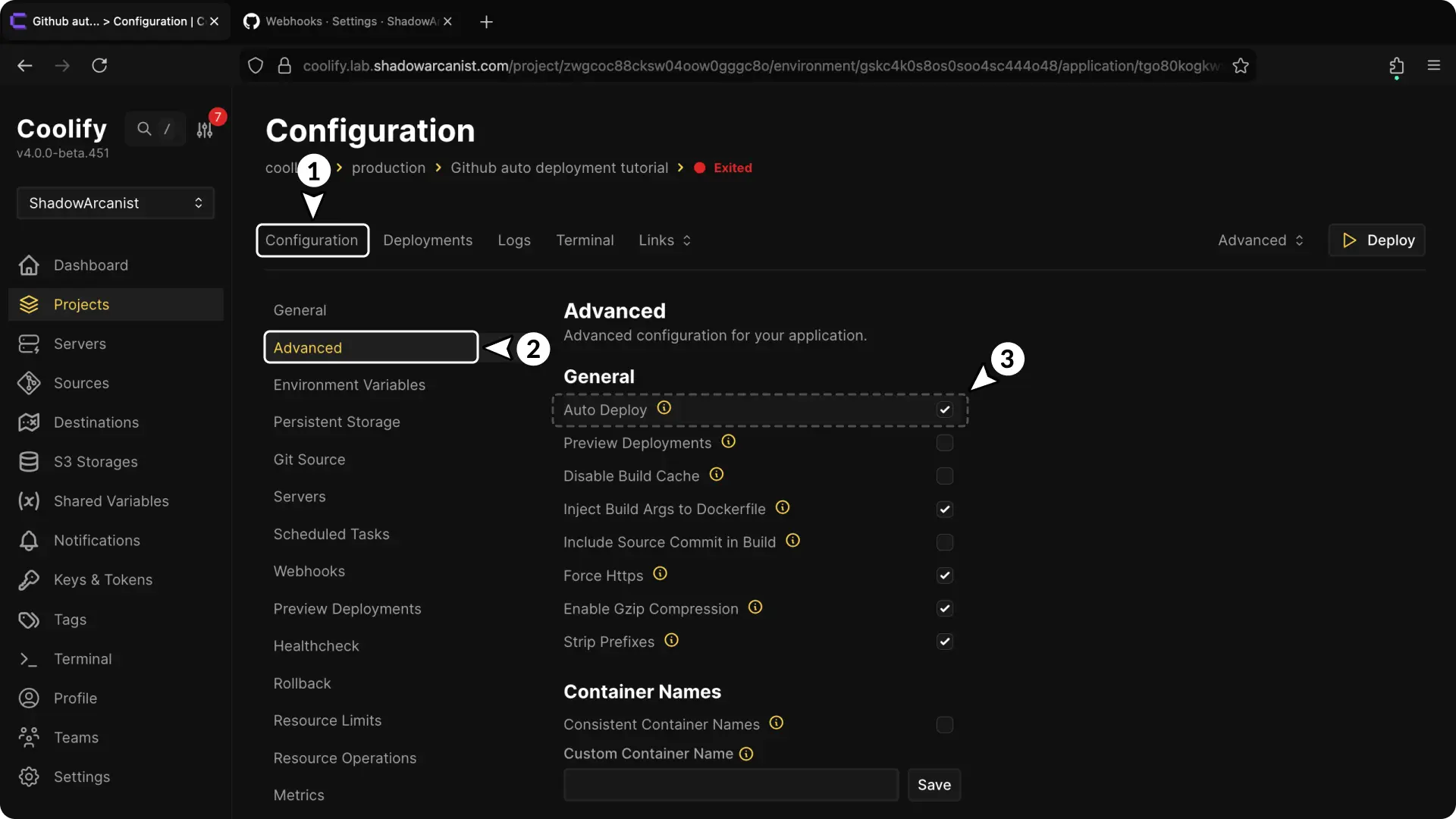
- Open your application configuration page.
- Go to the "Advanced" page.
- Enable "Auto Deploy" under the general section.
GitHub Actions
We have a dedicated guide for setting up GitHub Actions, which you can follow here: /github/actions.
Webhooks
1. Enable Auto Deploy
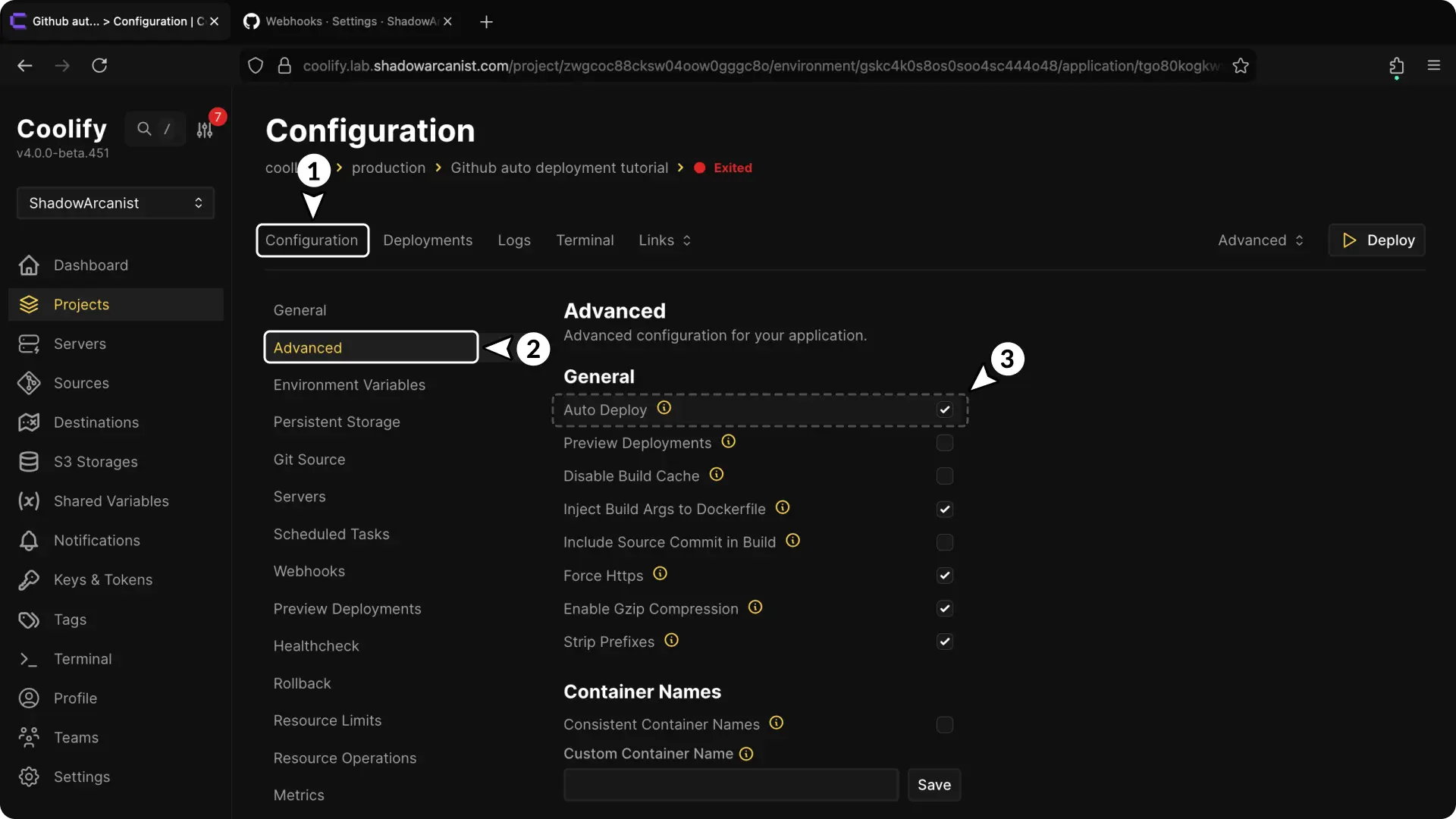
- Open your application configuration page.
- Go to the "Advanced" page.
- Enable "Auto Deploy" under the general section.
2. Set Up GitHub Webhook Secret
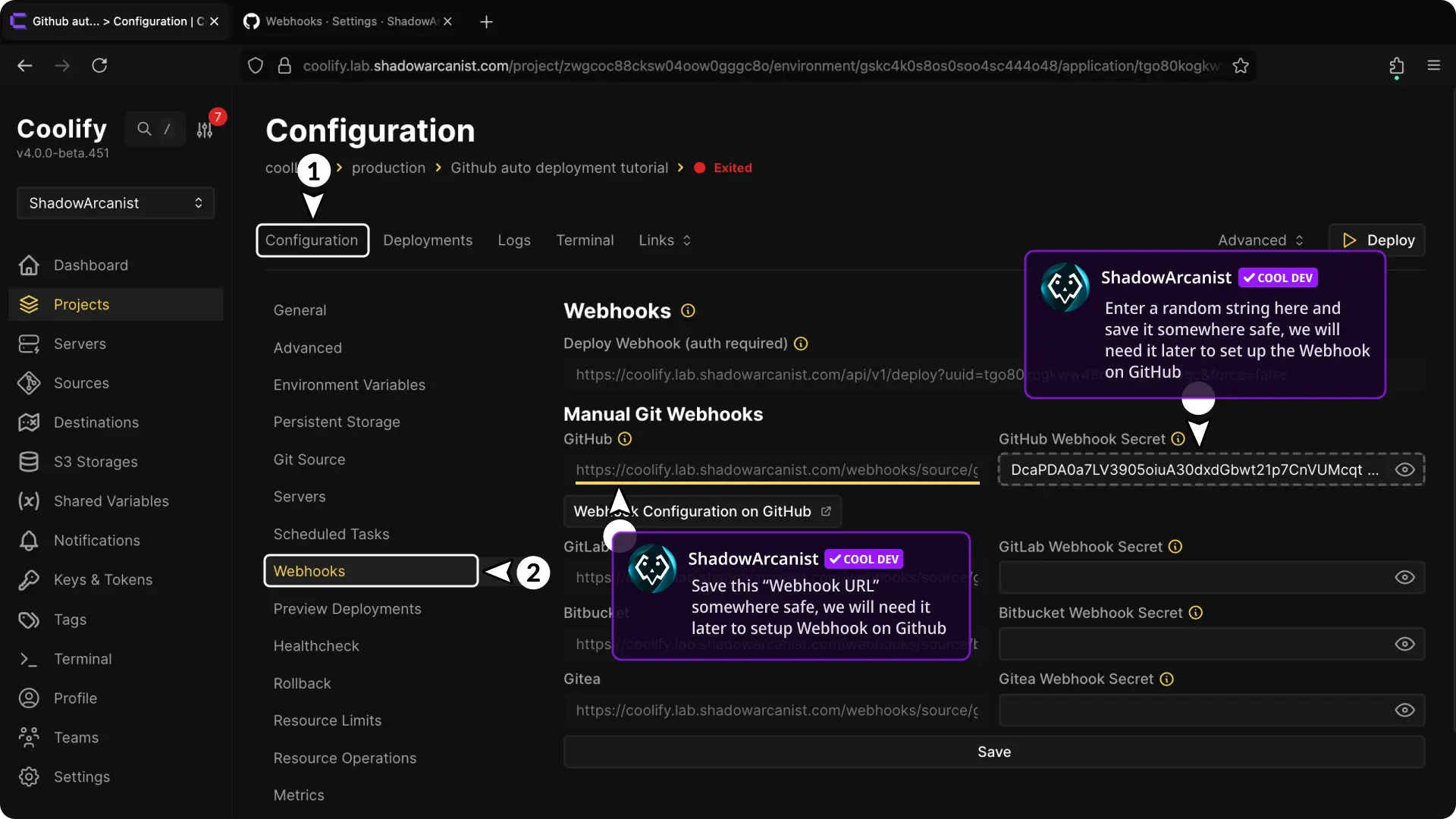
- Enter a GitHub webhook secret (this must be a random string; you can use tools like Random String Generator).
- Save the webhook URL somewhere safe, we'll need it later.
IMPORTANT
A webhook secret acts like a password. Coolify only accepts the webhook if the secret matches.
3. Set Up Webhook on GitHub
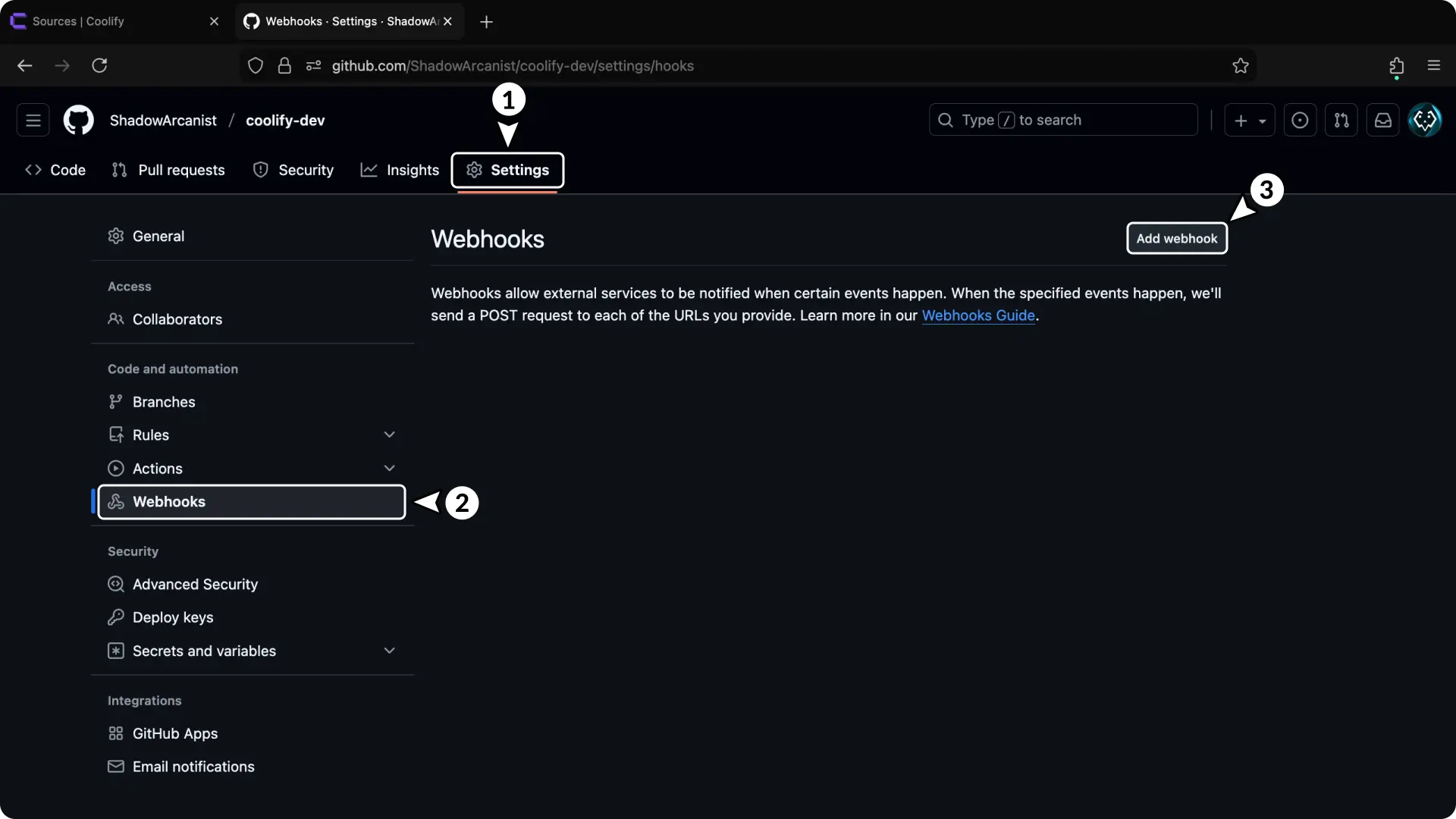
- Go to your repository settings page.
- Click on "Webhooks" from the sidebar.
- Click the "Add webhook" button.
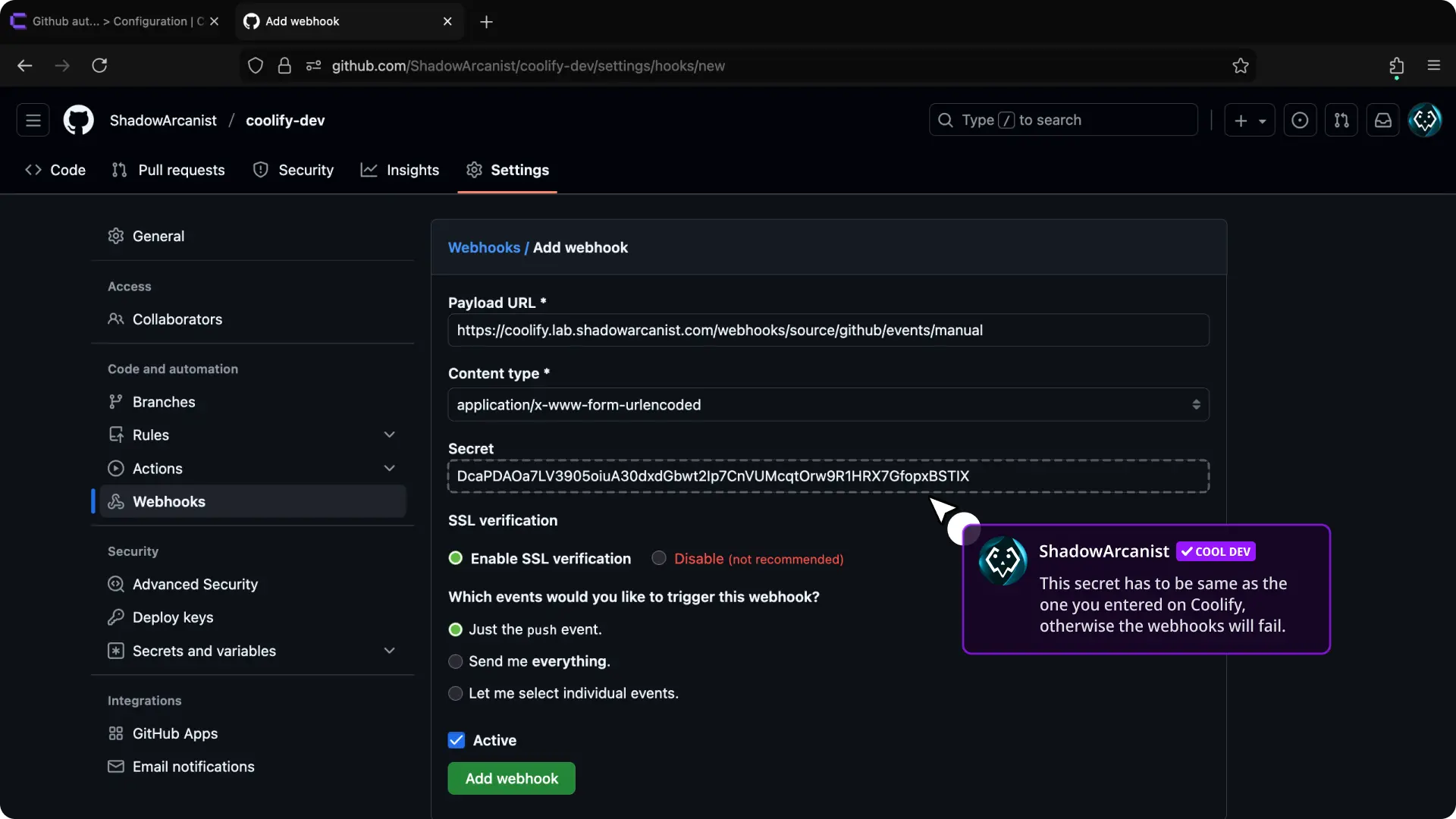
- Enter the previously copied webhook URL from Coolify in the "Payload URL" field.
- Enter the webhook secret from Coolify in the "Secret" field.
- Enable "Enable SSL verification".
- Select "Just the
pushevent". - Enable "Active".
- Click the "Add webhook" button.
After clicking "Add webhook", you'll see a page like the one shown below:
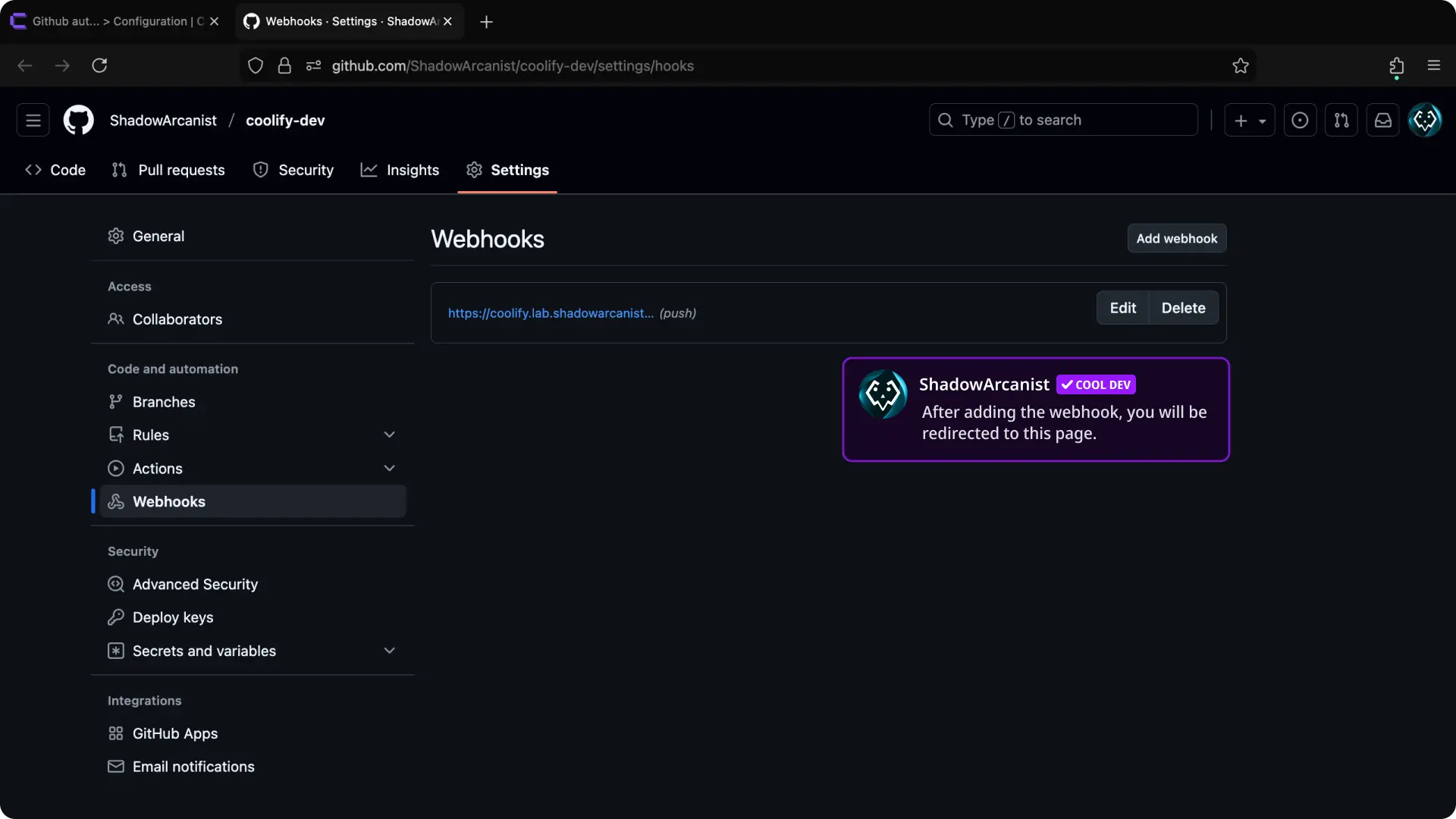
That's it! Coolify will automatically redeploy your application whenever you push changes to your repository.