
GitHub Preview Deployments
Preview deployments run pull requests separately from the production application. Coolify removes an automatic preview after its pull request is merged or closed.
Features
Preview domains
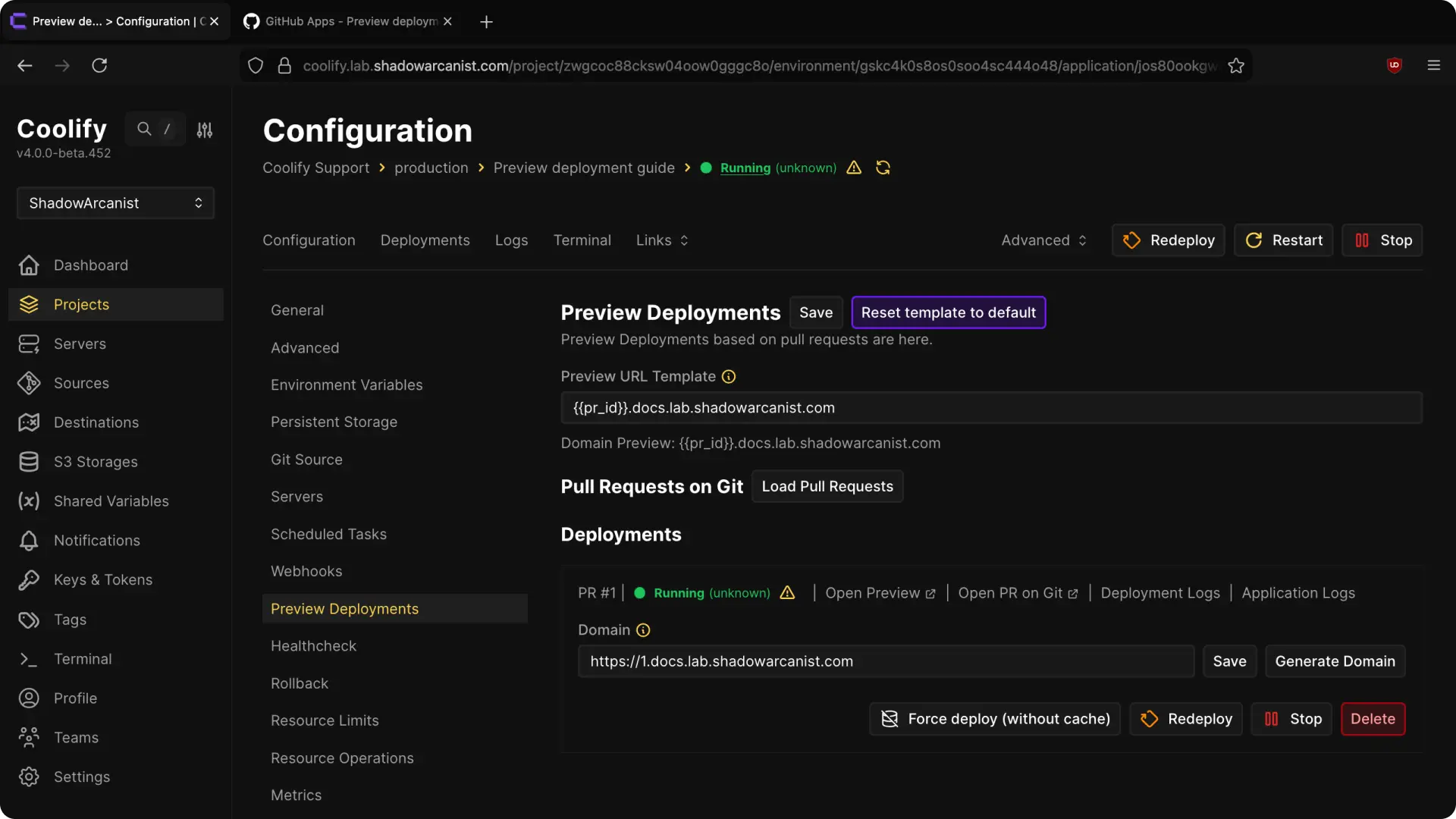
Preview URL Template controls the generated domain:
{{random}}inserts a random value.{{pr_id}}inserts the pull-request number.
To use a domain such as https://123.preview.example.com, create an A or AAAA record for *.preview.example.com that points to the deployment server.
Load Pull Requests fetches currently open pull requests.
Coolify does not automatically deploy pull requests that were already open when preview deployments were enabled. Select Load Pull Requests, then select Deploy for each required pull request.
Choose who can deploy previews
Pull-request code can be untrusted. A public contributor could otherwise run code on your server.
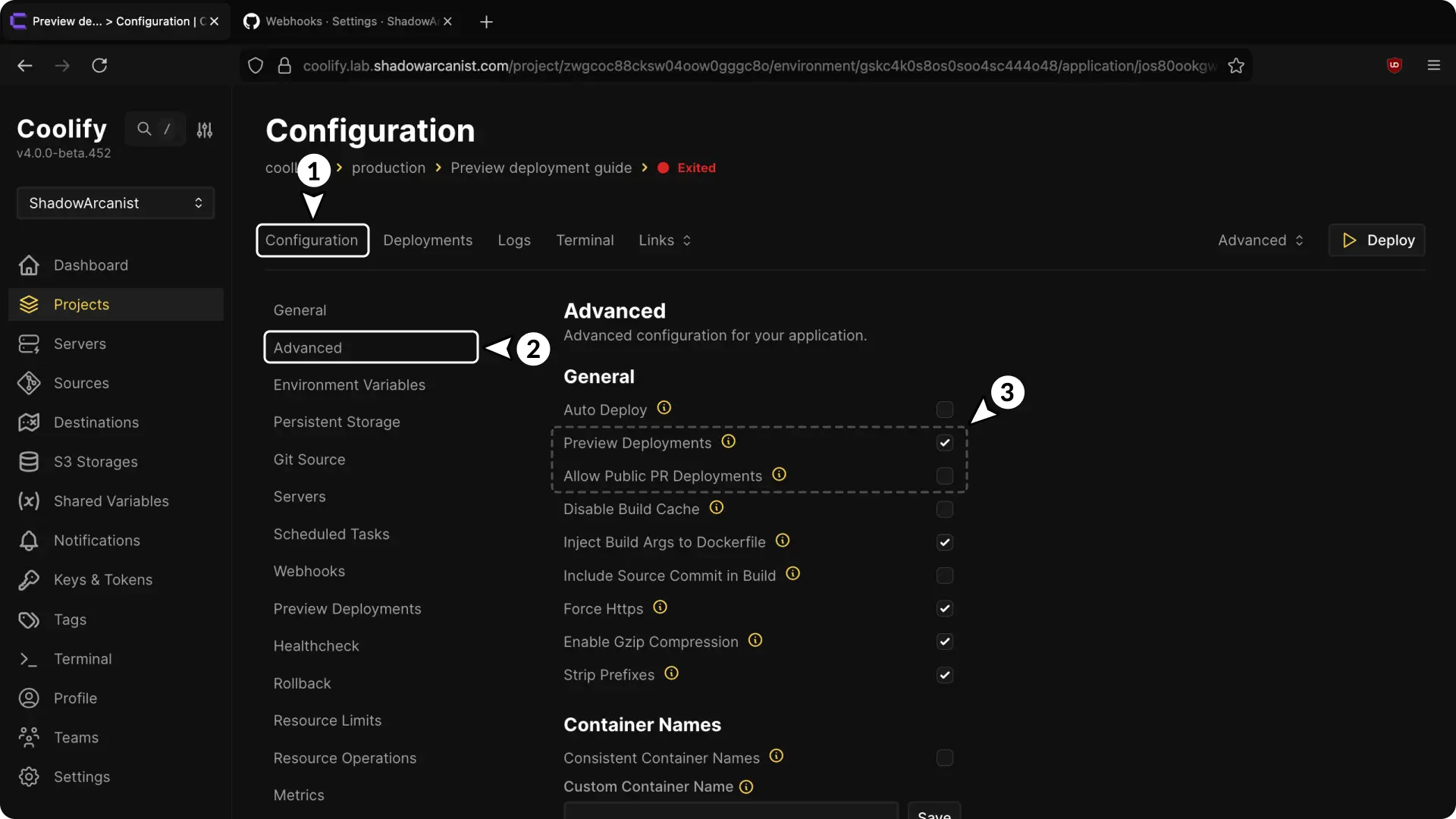
- Preview Deployments enables previews for trusted repository members, collaborators, and contributors.
- Allow Public PR Deployments allows public contributors to trigger previews.
Keep public pull-request deployments disabled unless you accept the risk of running contributor code.
Scoped secrets
Coolify keeps production and preview variables separate.
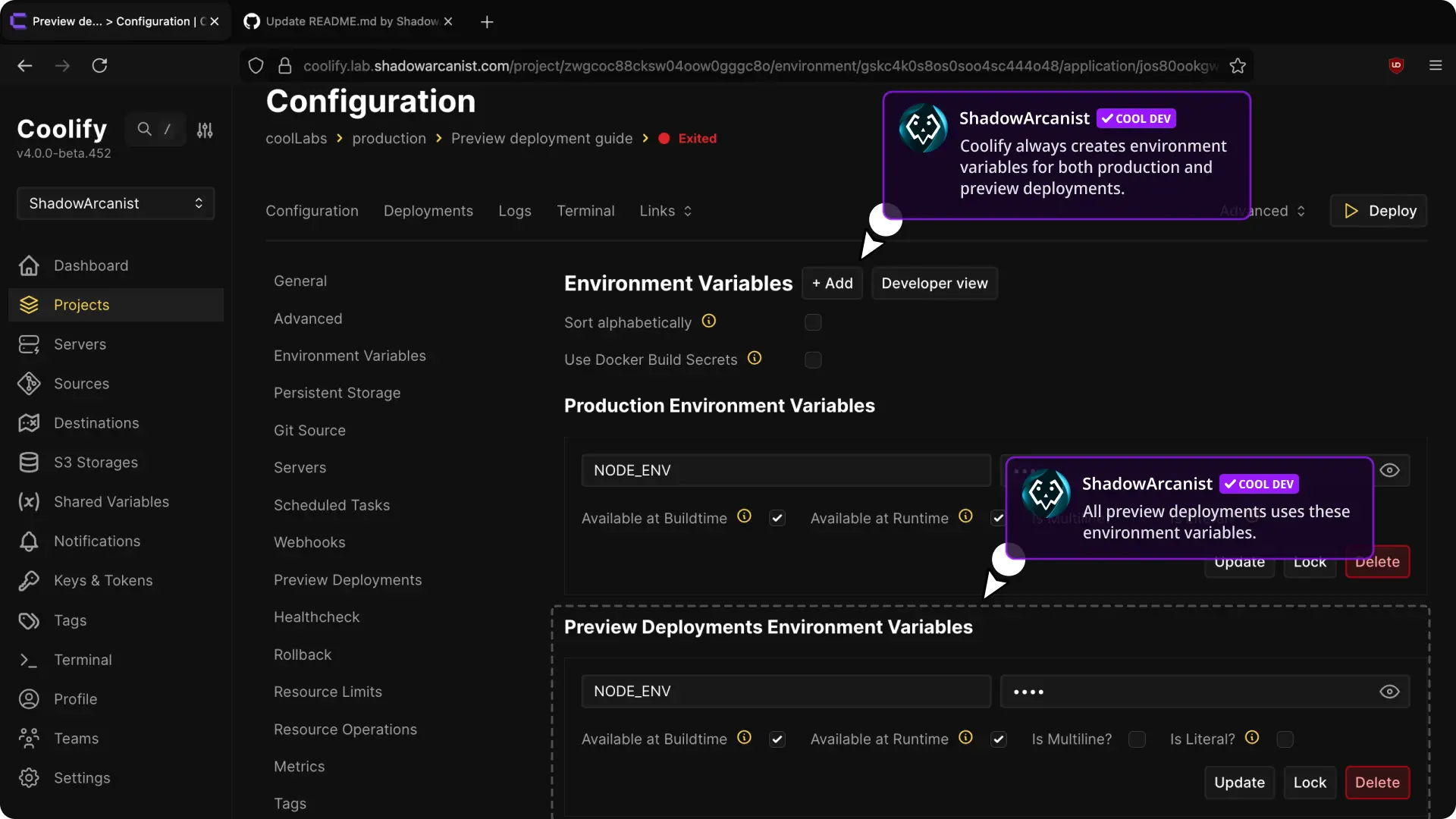
- Production Environment Variables are used only by the main deployment and are not passed to pull-request previews.
- Preview Deployment Environment Variables are used only by pull-request deployments.
Do not copy production credentials into preview variables for untrusted pull requests. Use limited, non-production credentials.
Automated comments
Coolify can add deployment status and domain information to the pull request and update the comment when the deployment state changes.
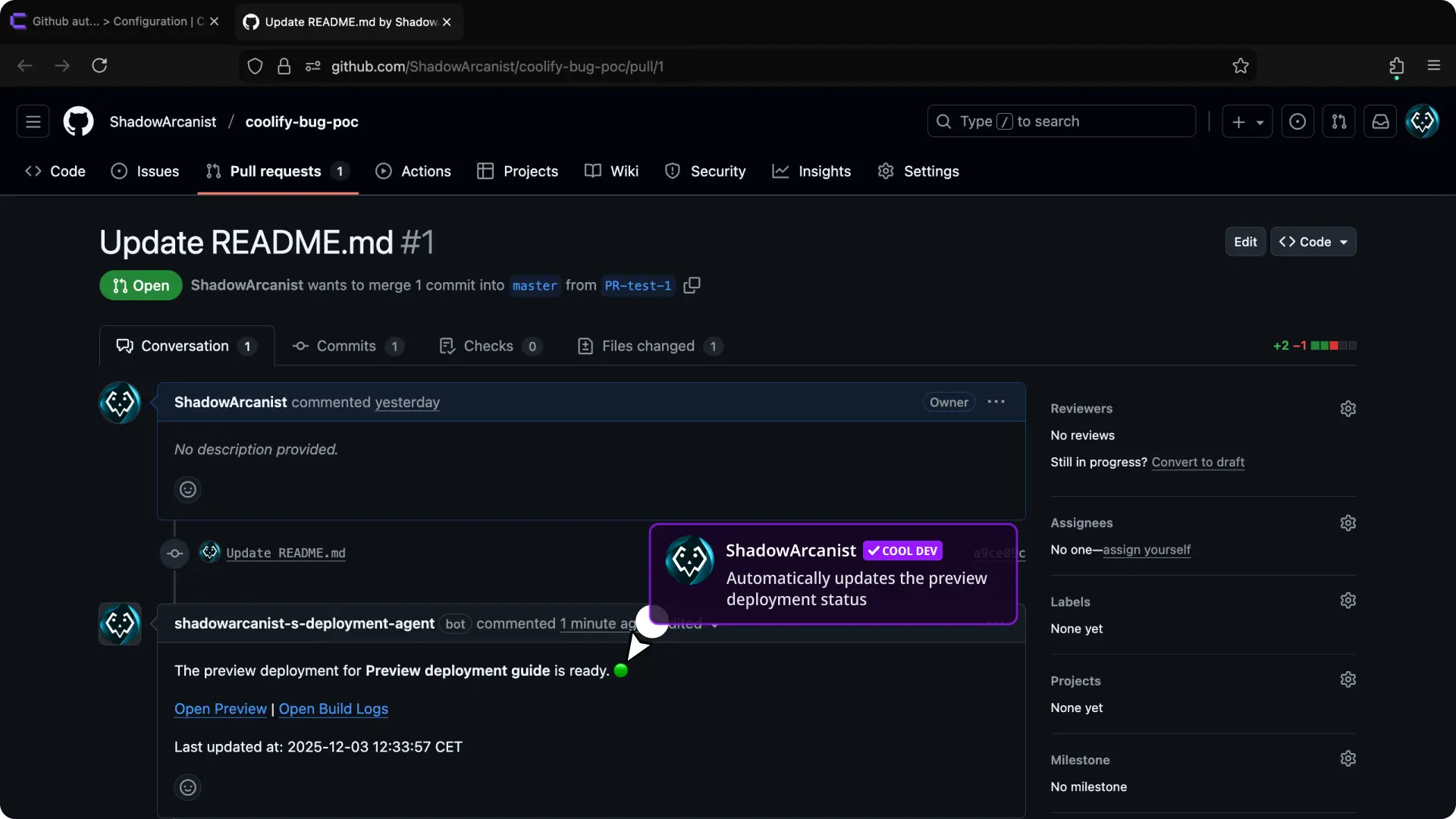
Manual repository webhooks can trigger previews, but automated pull-request comments require GitHub App permissions.
Set up preview deployments
Choose how the application receives pull-request events.
Follow Set up a GitHub App first.
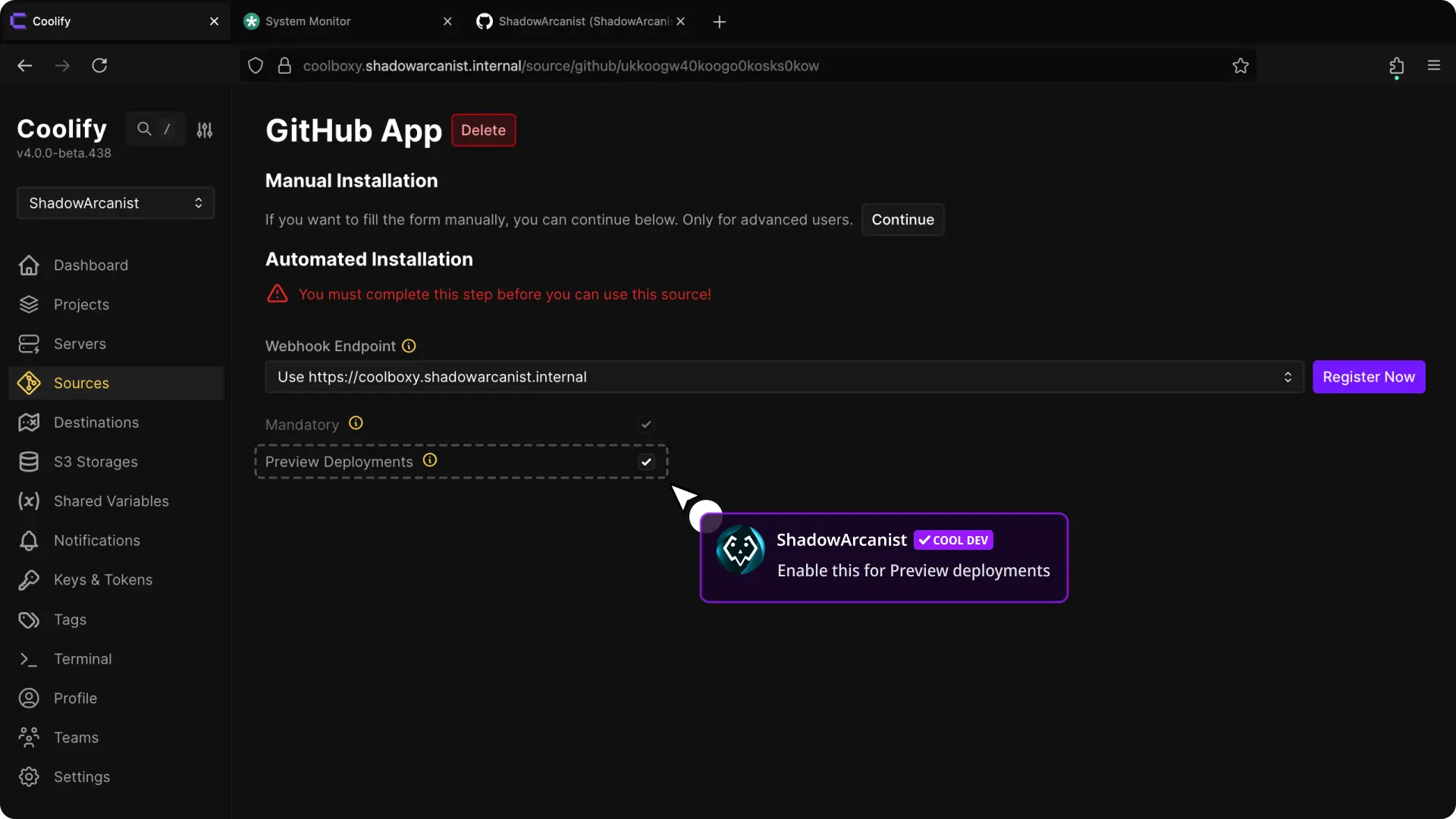
Set Preview deployment access to Read and update pull requests before selecting Register with GitHub. Coolify requests read-and-write pull-request access and subscribes the app to pull-request events.
Update an existing GitHub App
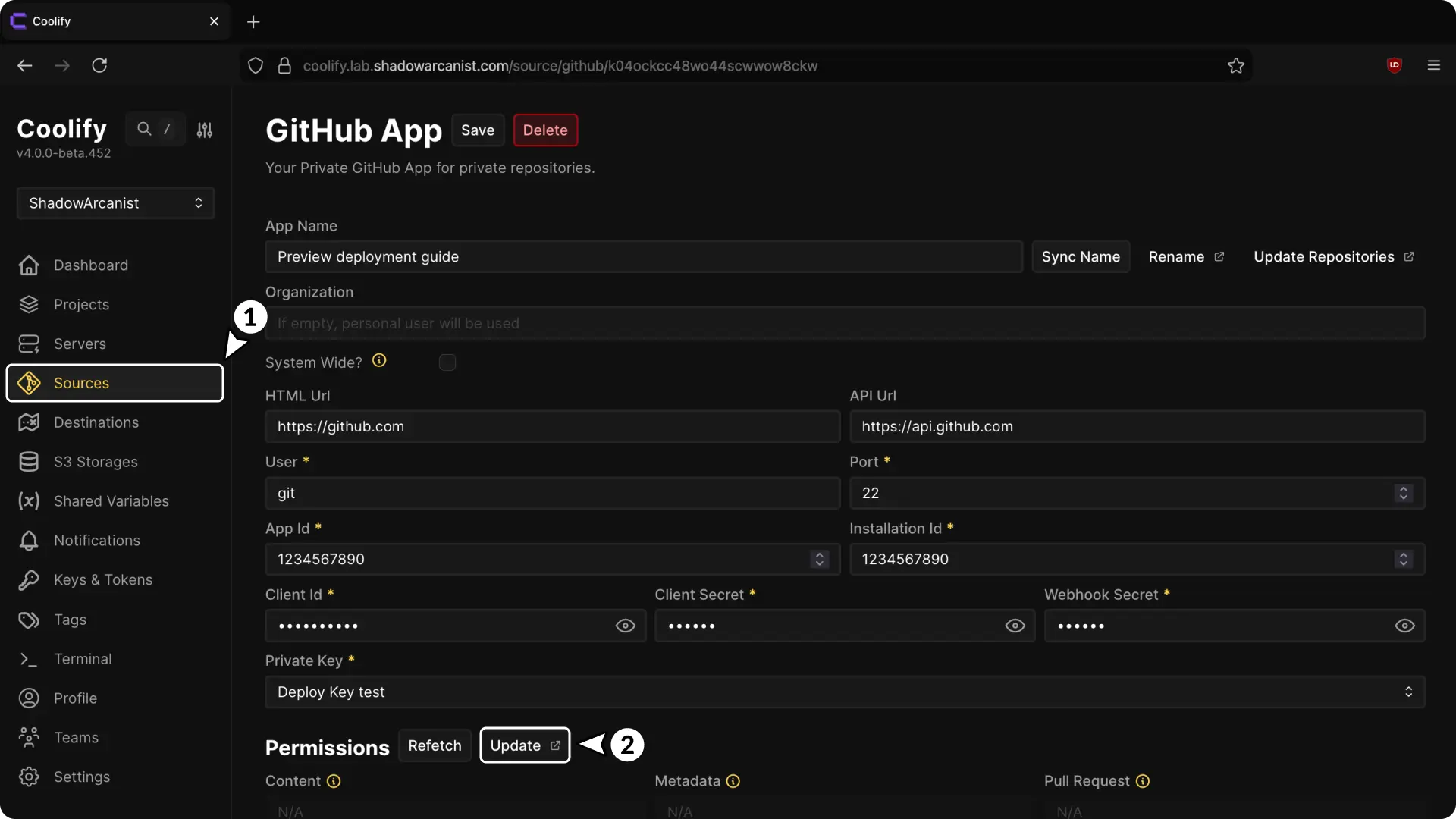
- Open Sources and select the GitHub App.
- Open Permissions.
- Select Update.
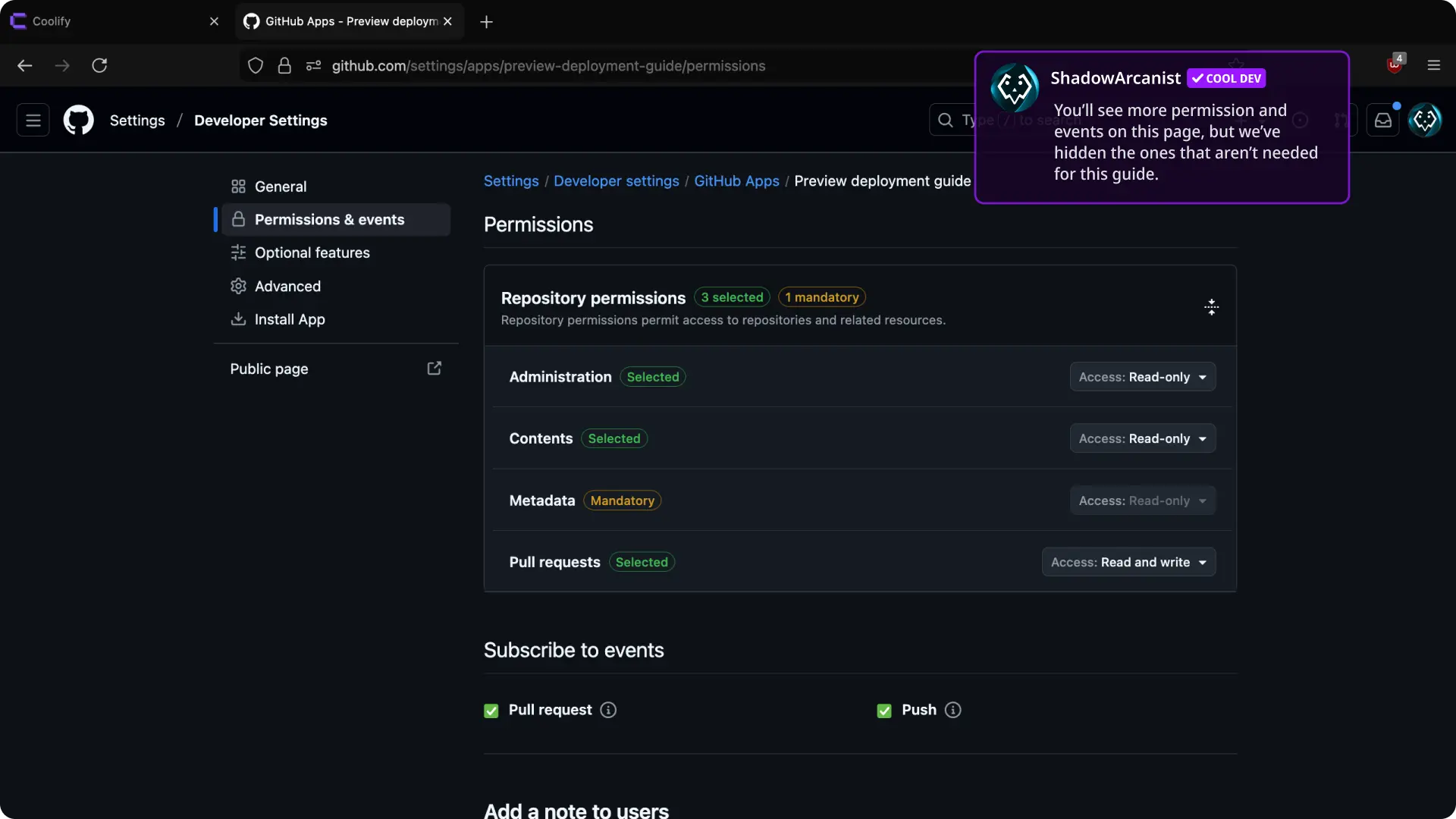
- Set Pull requests to Read and write.
- Subscribe to Pull request events.
- Accept the permission update.
Verify preview deployments
- Open or update a pull request.
- Confirm that Coolify creates a separate preview deployment.
- Open the generated preview domain and test the changed behavior.
- Close the pull request and confirm that Coolify removes the automatic preview.