
GitHub Actions
GitHub Actions can run checks, build your application as a Docker image, publish it to a container registry, and trigger Coolify only after the preceding steps pass.
For a working reference, review the github-actions example and its workflow file.
Build and deploy
This guide uses:
- Docker image:
ghcr.io/shadowarcanist/tasklytics:latest - Registry:
ghcr.io - Branch:
main
Replace these values with your registry and image.
Choose the deployment type
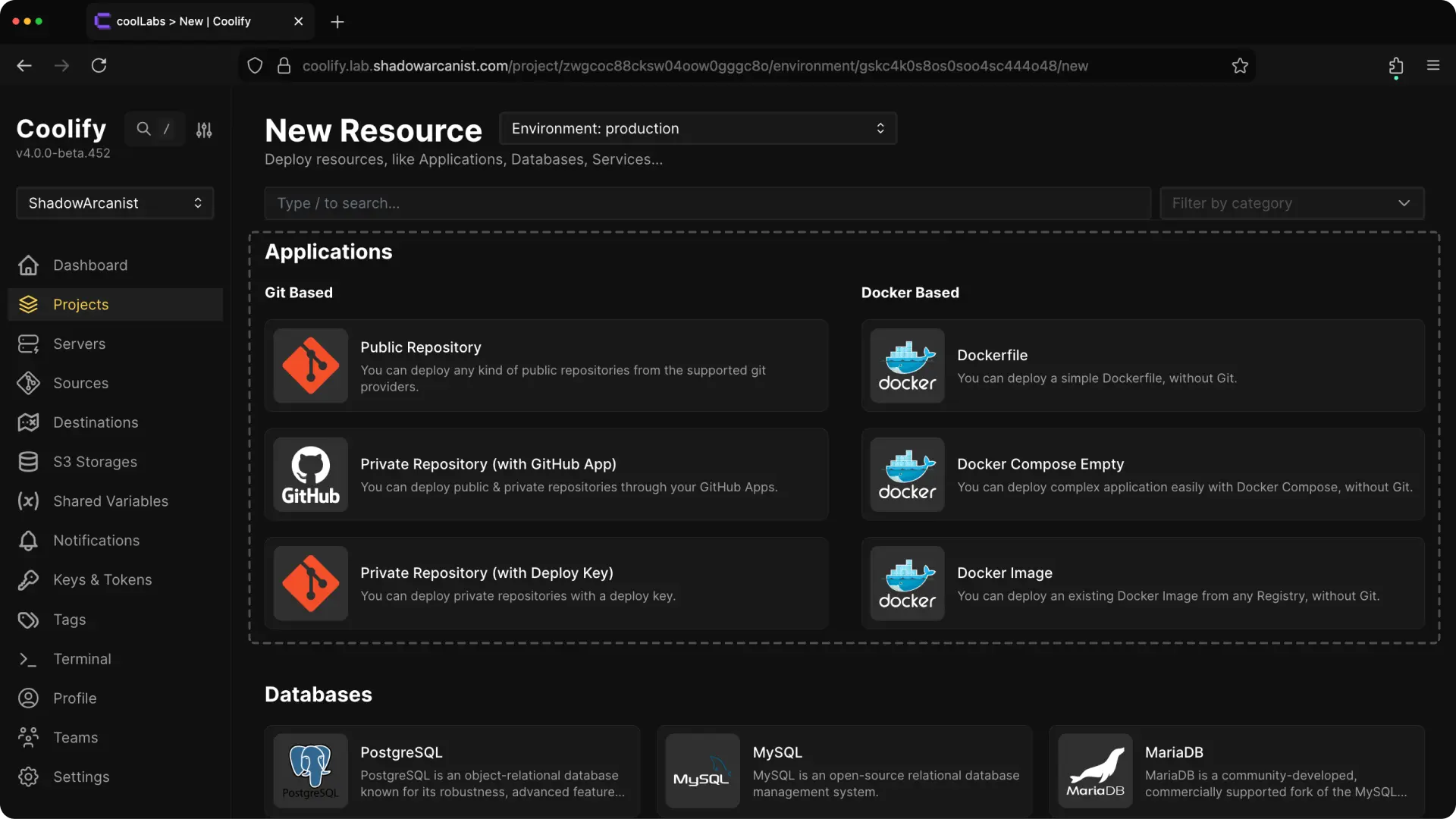
GitHub Actions builds the image, so Coolify must deploy the published image instead of rebuilding the same source.
Choose one:
- Create a Docker Image application for one image.
- Use Docker Compose when the deployment contains multiple services. Reference the published image with
image:instead ofbuild:.
services:
  web:
    image: ghcr.io/shadowarcanist/tasklytics:latest
Authenticate the deployment server before using a private image.
Enable Coolify API access
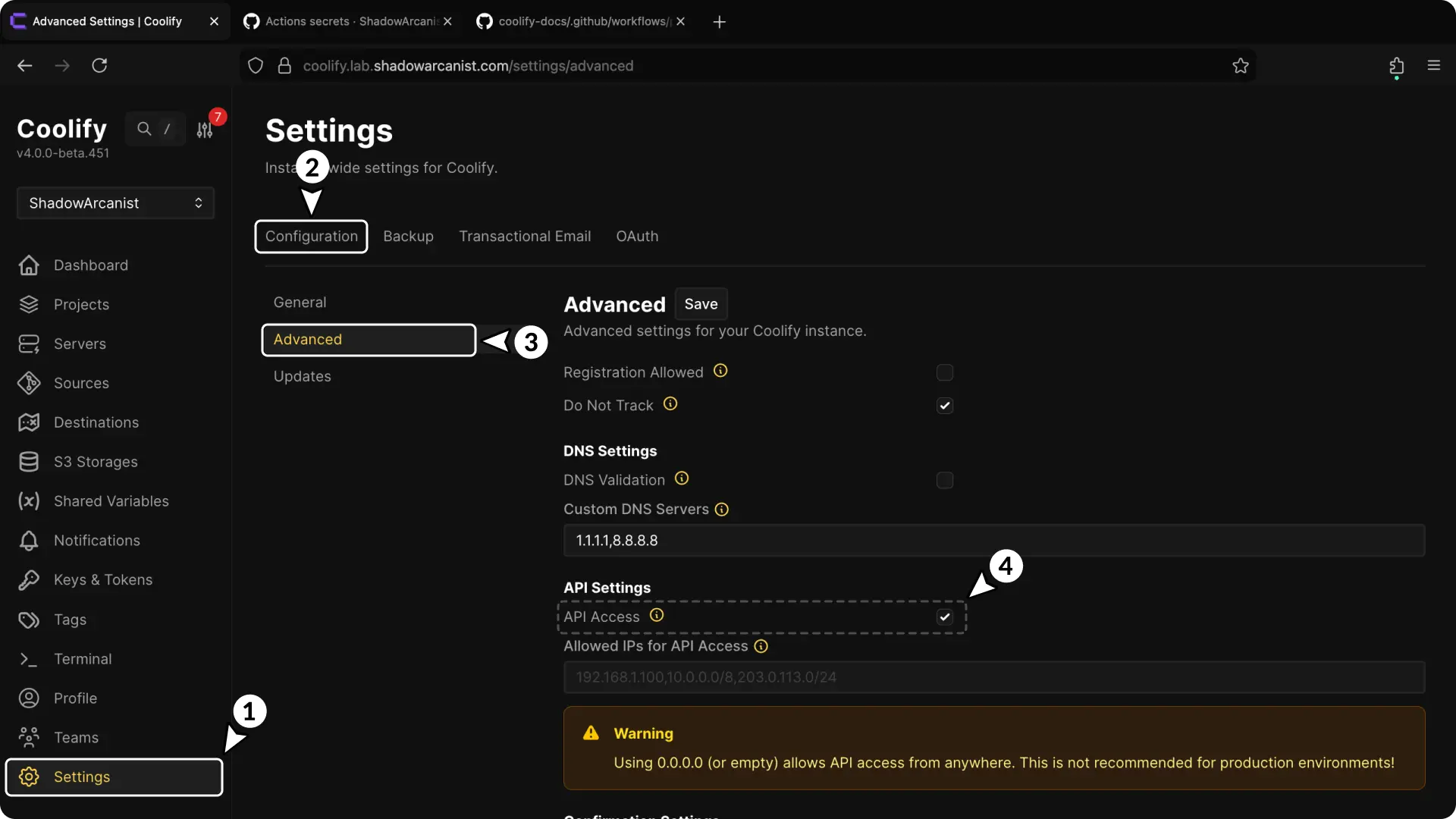
On a self-hosted Coolify instance:
- Open Settings.
- Select Advanced.
- In API and MCP, set API access to Enabled.
- Select Save changes.
Coolify Cloud has API access enabled by default. Cloud users cannot access the self-hosted API access settings, so skip this step.
Create a Coolify API token
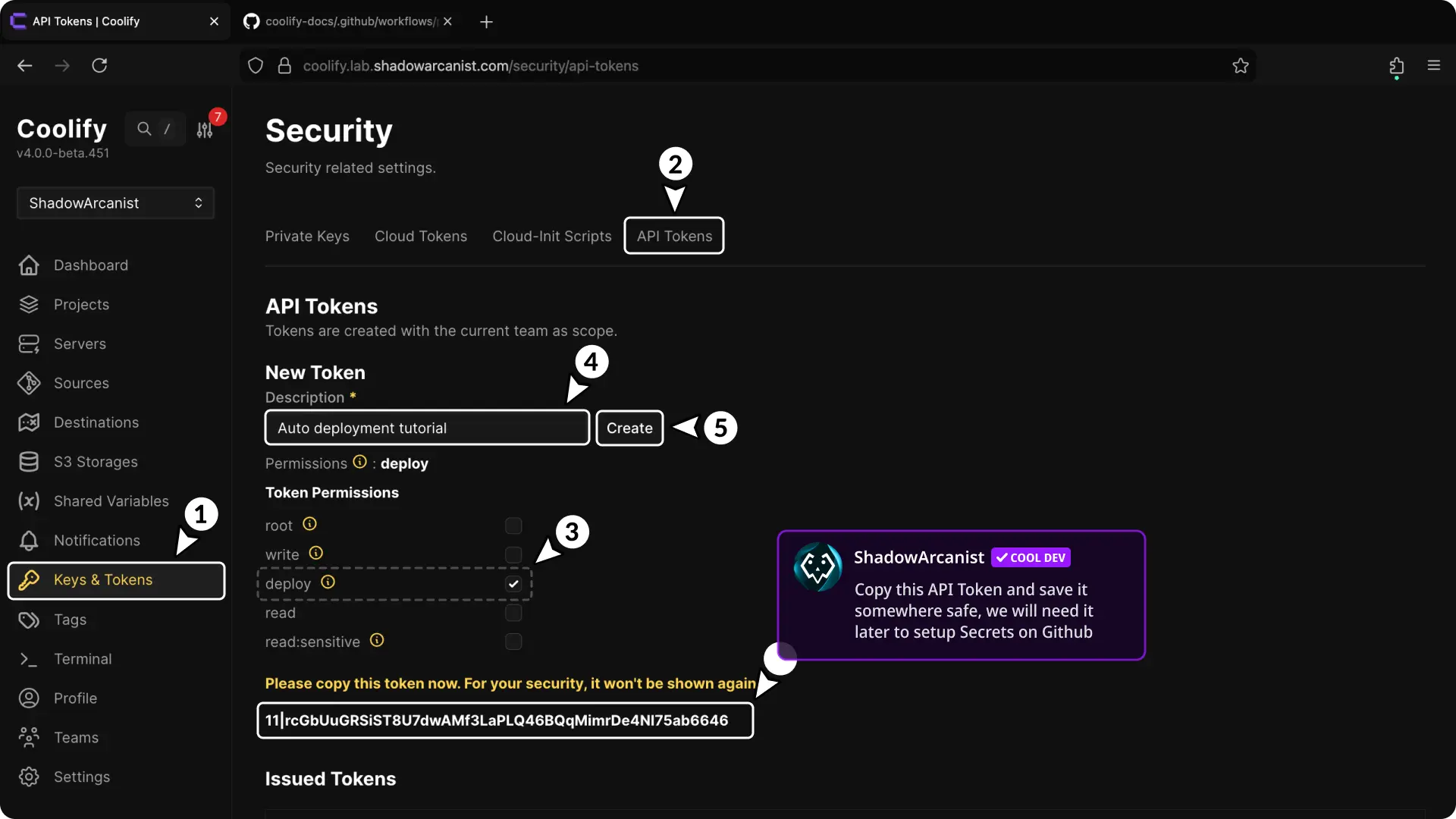
- Open Keys & Tokens > API Tokens.
- Enter a Description that identifies the workflow.
- Choose Expires in to set the token lifetime.
- Open Permissions and select Deploy.
- Select Create token.
- Copy the token immediately.
Store it in a password manager until it has been added to GitHub.
Copy the deploy webhook
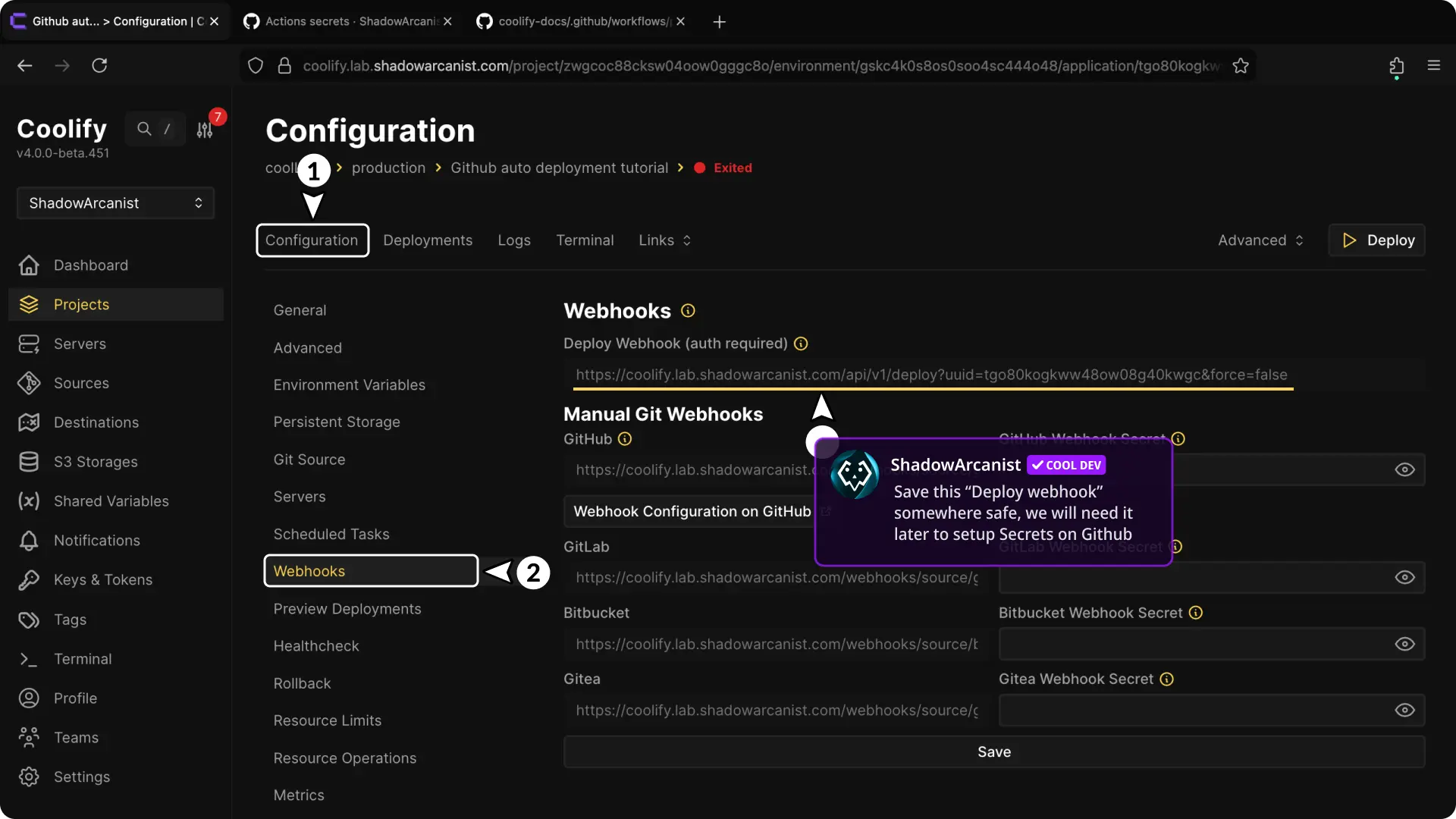
- Open the application.
- Select Webhooks.
- Copy Deploy webhook URL.
The URL identifies the application. The API token authorizes the request.
Add GitHub repository secrets
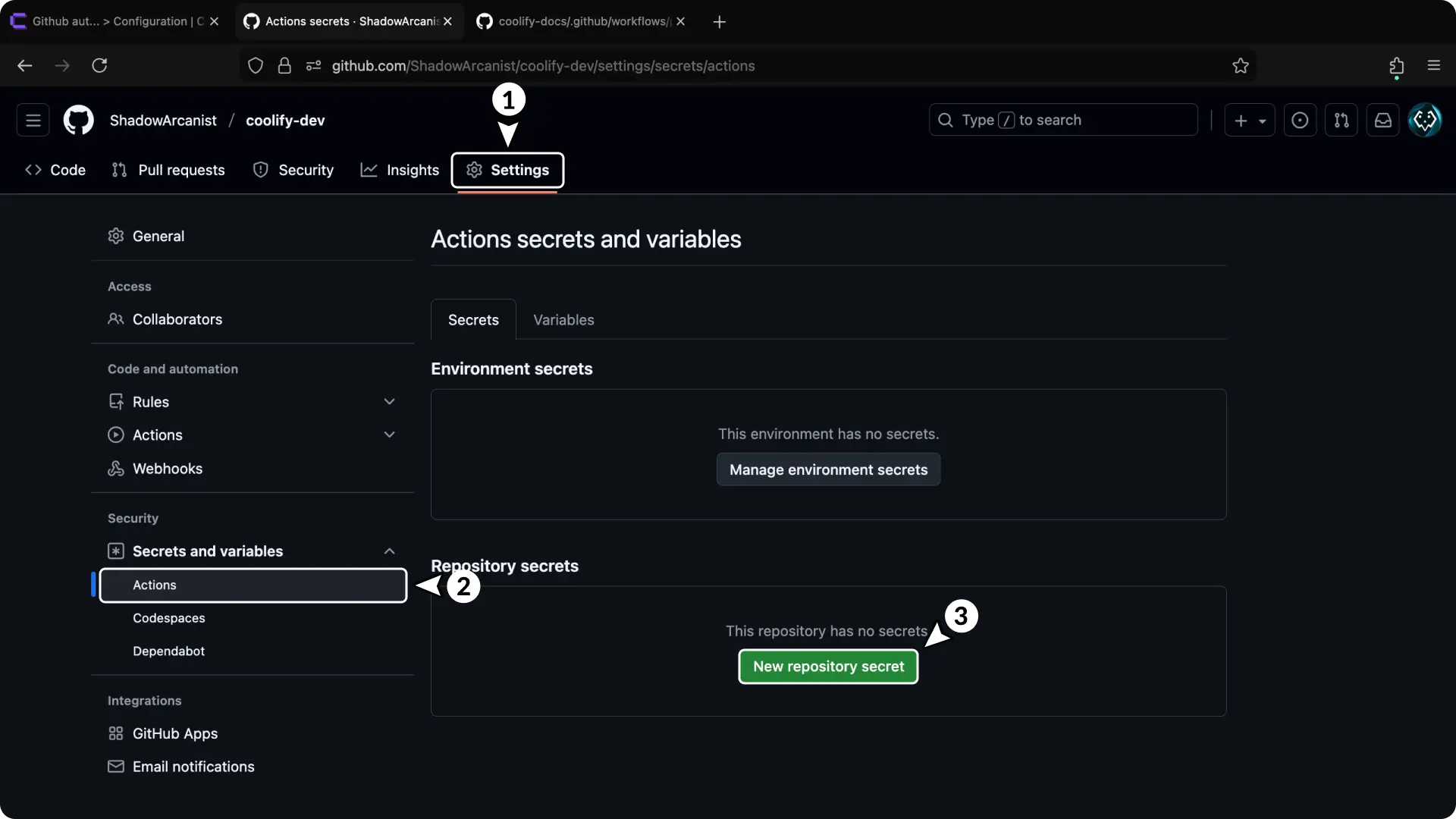
- Open the GitHub repository settings.
- Select Secrets and variables > Actions.
- Select New repository secret.
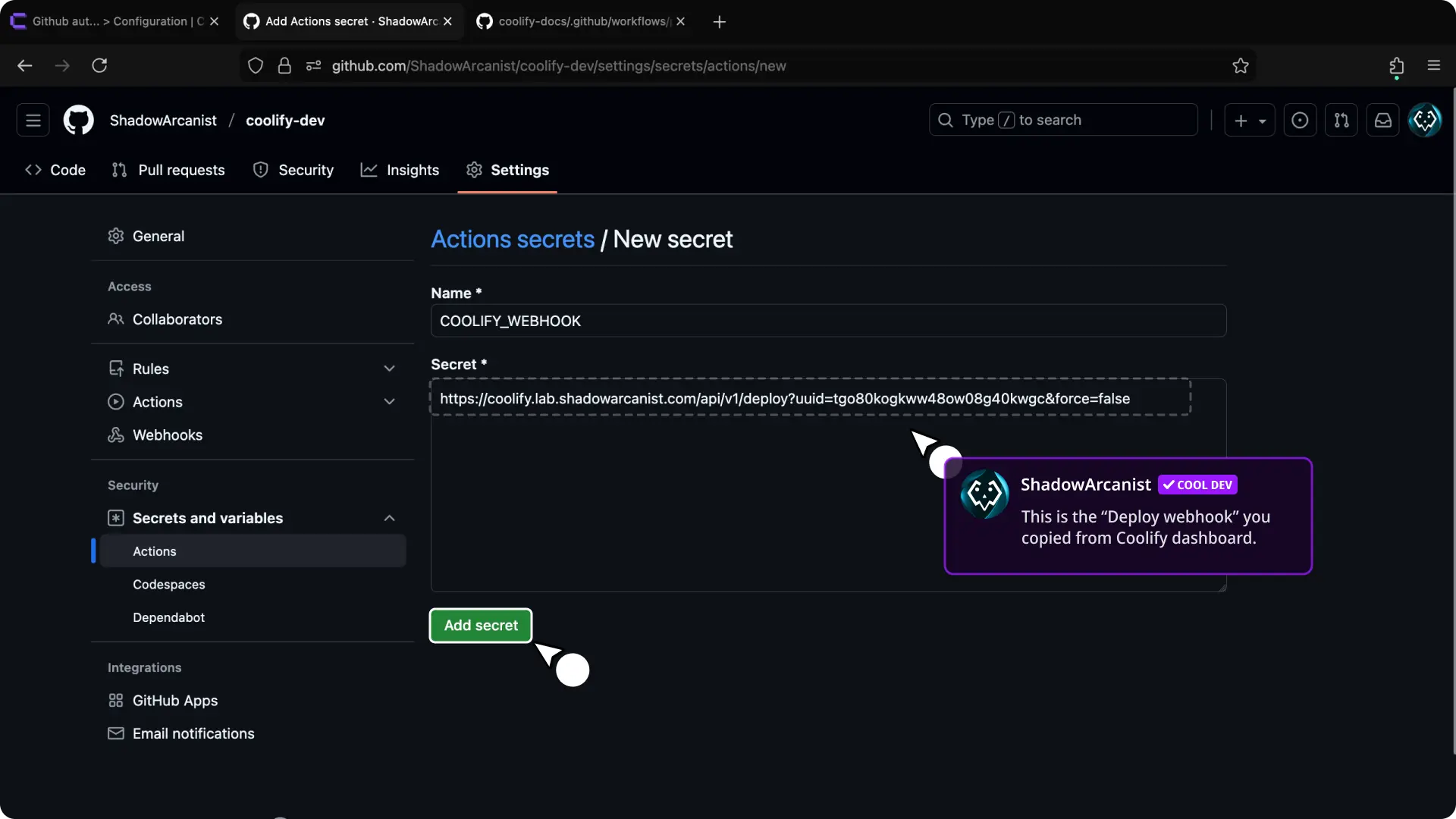
- Create
COOLIFY_WEBHOOKwith the authenticated deploy webhook URL.
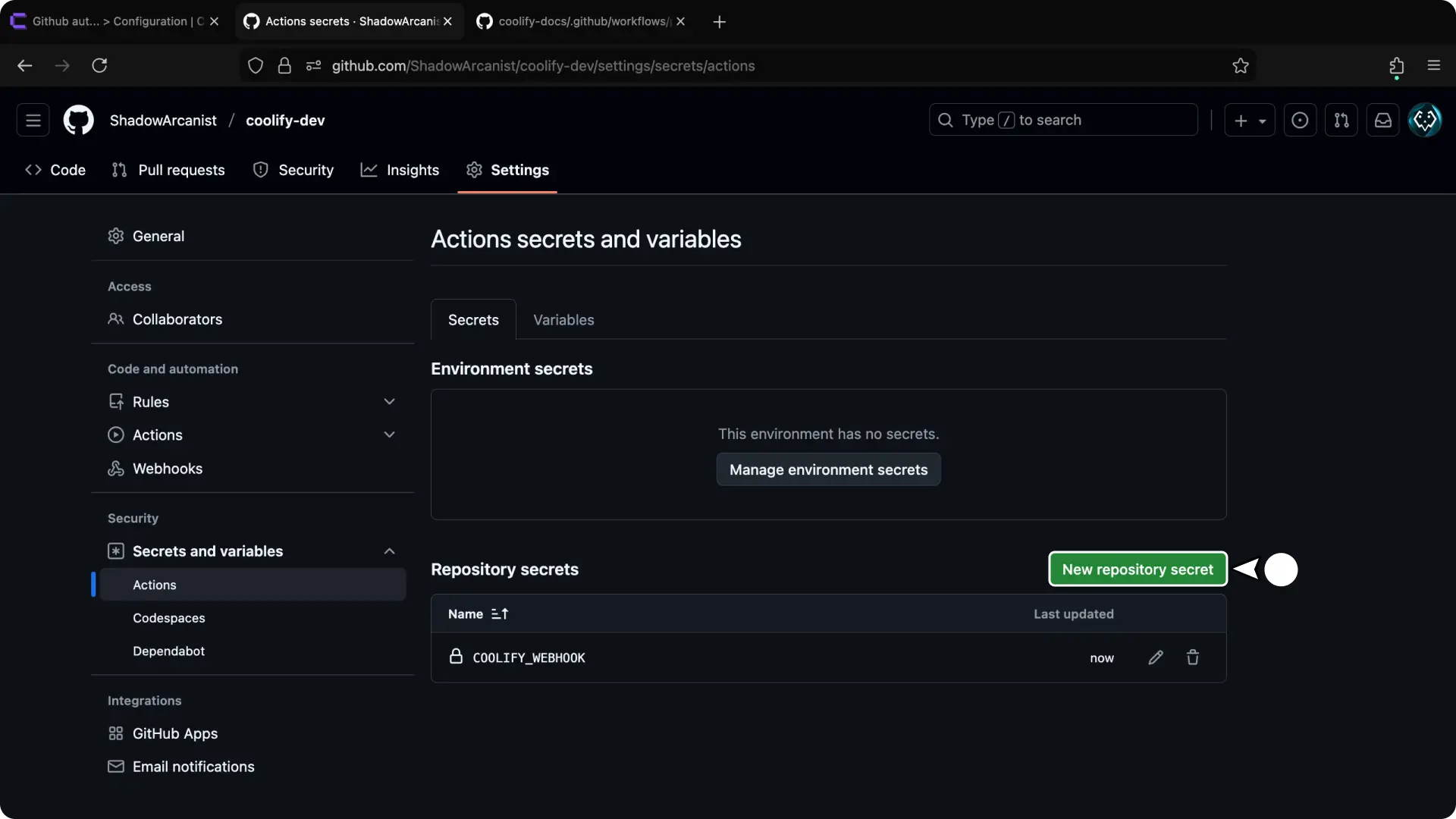
- Select New repository secret again.
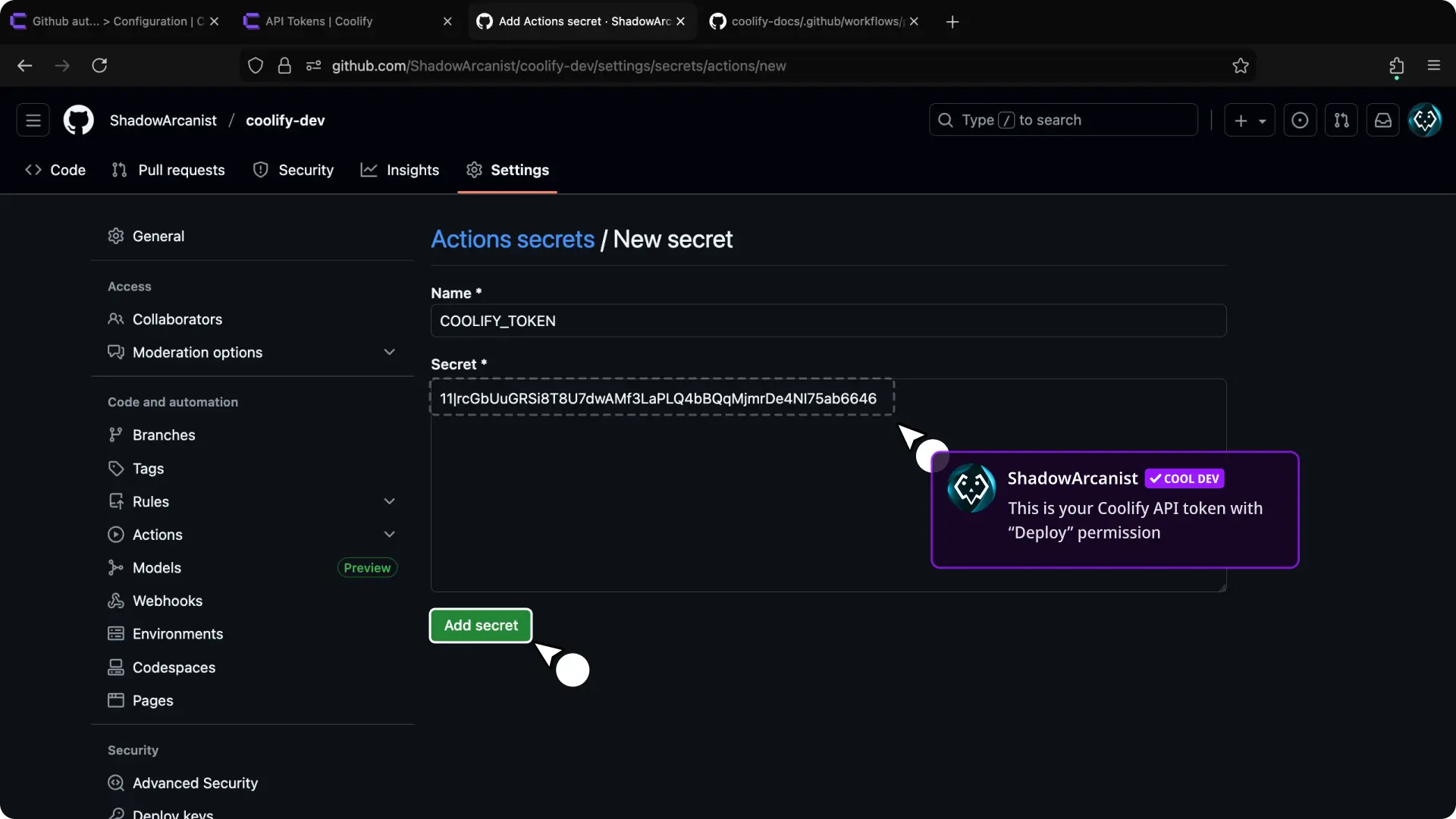
- Create
COOLIFY_TOKENwith the Coolify API token.
Do not commit either value to the workflow file.
Add the GitHub Actions workflow
Create .github/workflows/build.yaml:
name: Build and deploy

on:
  push:
    branches: [main]

env:
  REGISTRY: ghcr.io
  IMAGE_NAME: shadowarcanist/tasklytics

jobs:
  build-and-deploy:
    runs-on: ubuntu-latest
    permissions:
      contents: read
      packages: write

    steps:
      - uses: actions/checkout@v4

      - name: Log in to GHCR
        uses: docker/login-action@v3
        with:
          registry: ${{ env.REGISTRY }}
          username: ${{ github.actor }}
          password: ${{ secrets.GITHUB_TOKEN }}

      - name: Build and push image
        uses: docker/build-push-action@v6
        with:
          context: .
          file: Dockerfile
          platforms: linux/amd64
          push: true
          tags: ${{ env.REGISTRY }}/${{ env.IMAGE_NAME }}:latest

      - name: Trigger Coolify deployment
        run: |
          curl --fail --request POST '${{ secrets.COOLIFY_WEBHOOK }}' \
            --header 'Authorization: Bearer ${{ secrets.COOLIFY_TOKEN }}'
The workflow builds and publishes the image before asking Coolify to deploy it.
Keep the Coolify request after tests, security checks, the image build, and the registry push. Otherwise, Coolify can pull the previous image or deploy a release that has not passed validation.
For immutable releases, publish a commit-specific tag and update the deployed image reference as part of the release process instead of relying only on latest.
Authenticate the deployment server
For a private registry, connect to every deployment server that must pull the image and authenticate Docker as the server user configured in Coolify.
Create a GitHub token that can read packages, then run:
echo "$GH_TOKEN" | docker login ghcr.io --username "$GITHUB_USERNAME" --password-stdinTrigger the workflow and confirm:
- GitHub Actions publishes the expected image.
- The Coolify request succeeds.
- Coolify pulls the new image.
- The application container starts and becomes healthy.