
Create a destination
Create a destination when you need another Docker network for isolation.
Before you start
You need:
- a validated, reachable server that can run deployed resources
- a Docker network name that is not already registered as a destination on that server
A build server cannot be selected as a deployment destination. If you still need to connect a server, follow Add Server first.
Create a new destination
Open the new destination form
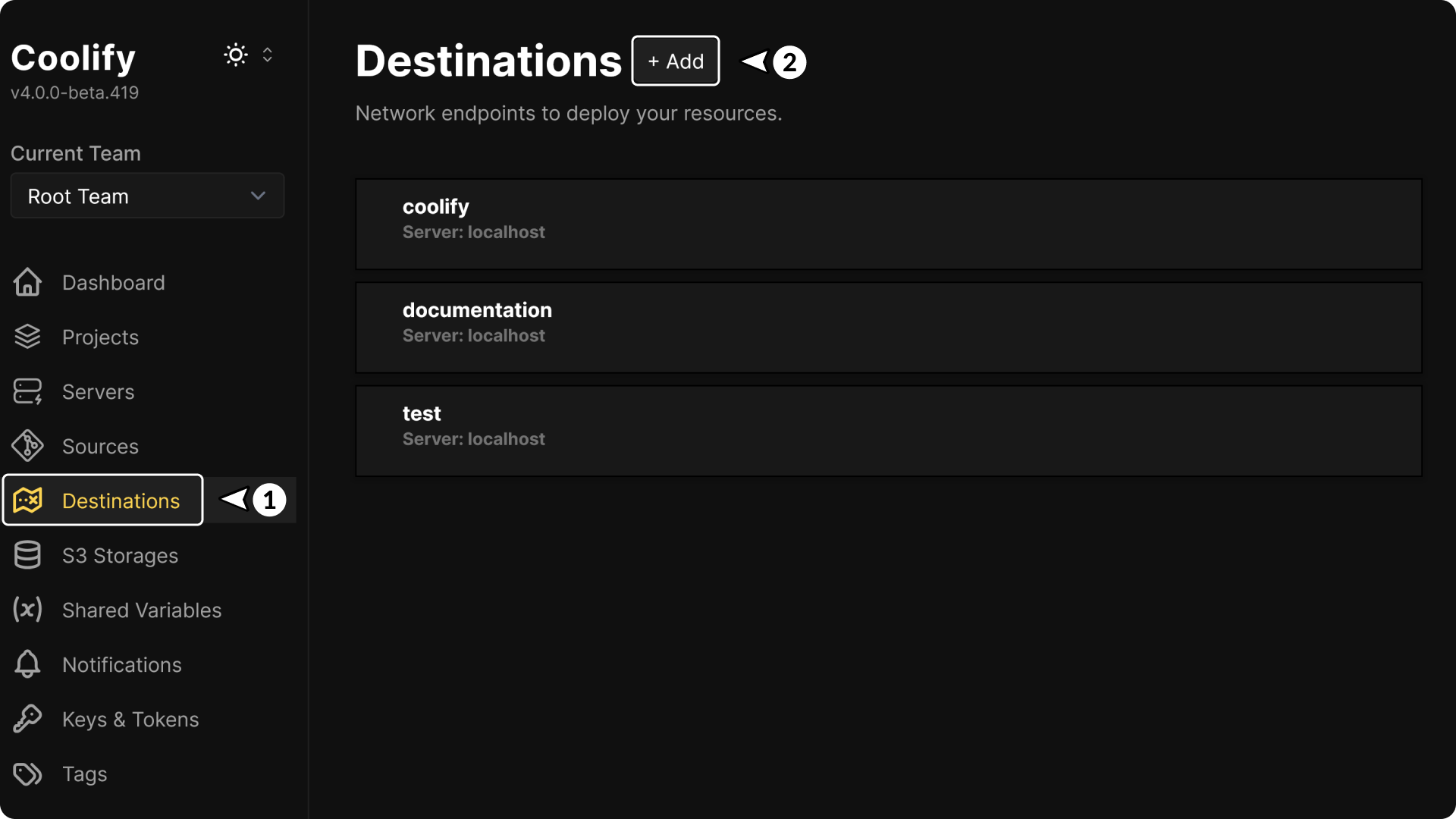
- Select Destinations in the Coolify sidebar.
- Select New destination.
You can also open Servers, select a server, open Destinations, and select + Add. Coolify uses the selected server in the form.
Configure the destination
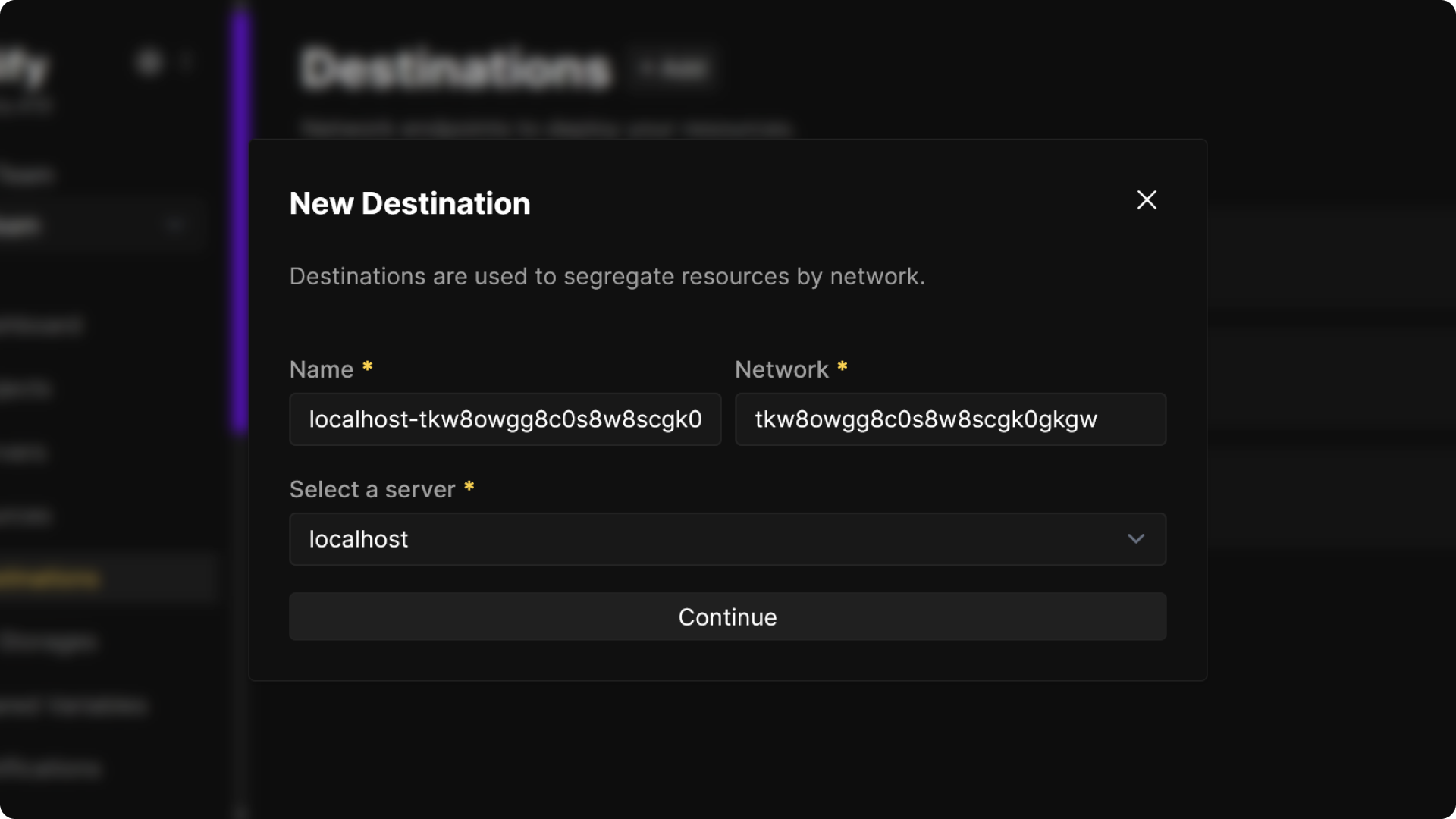
Review the generated values before continuing:
| Field | What to enter |
|---|---|
| Name | A recognizable name for the network in the Coolify dashboard. Coolify initially combines the server name and generated network value. |
| Network | The Docker network name. Keep the generated value or enter a name that starts with a letter or number and contains only letters, numbers, periods, hyphens, and underscores. |
| Server | The validated, reachable server where the Docker network should exist. |
The Network value can contain up to 255 characters and must be unique among destinations of the same type on that server. You cannot change this value after creating the destination.
Create and verify the destination
Select Create destination.
Coolify records the destination, creates the Docker network when it does not already exist, and connects the Coolify Proxy to the networks it needs on the server.
The destination's General page opens after creation. Confirm that Name, Server IP, and Docker Network show the values you selected.
Import an existing Docker network
Use the server's destination scanner when the Docker network already exists but does not appear in Coolify.
Scan the server
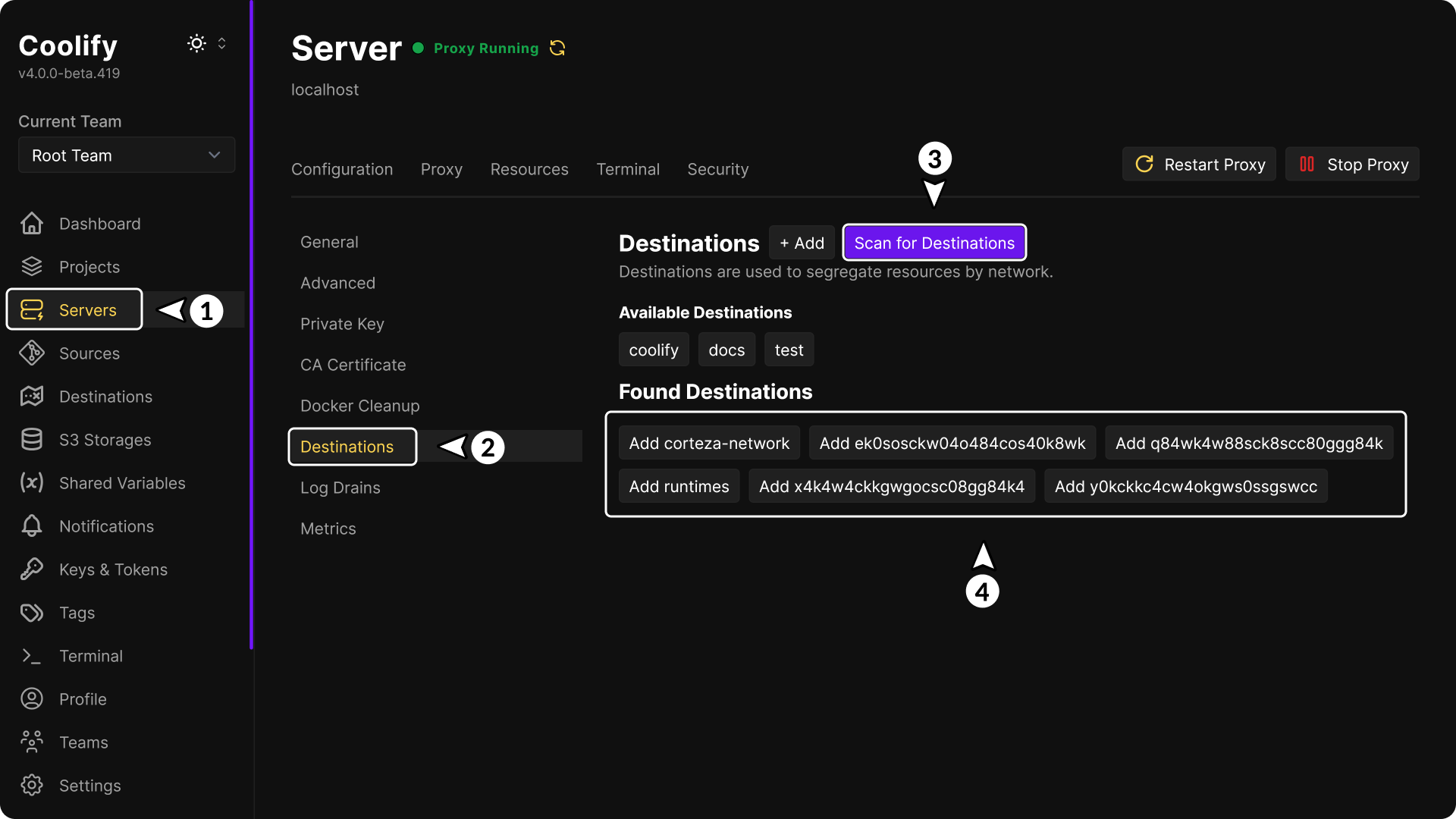
- Select Servers in the Coolify sidebar.
- Select the server that owns the Docker network.
- Open Destinations.
- Select Scan networks.
Coolify excludes the built-in bridge, host, and none networks, along with networks already registered as destinations.
Add the discovered network
Under Discovered networks, select Add <network-name> for the network you want to use.
Coolify adds the network under Destinations and connects the Coolify Proxy to the server networks it needs. Select the destination and confirm that its Docker Network value matches the existing network name.