
Ollama

What is Ollama?
Ollama is a lightweight and efficient server for running large language models (LLMs) on your local machine or in the cloud.
It includes OpenWebUI, a web-based interface for interacting with the models.
Screenshots
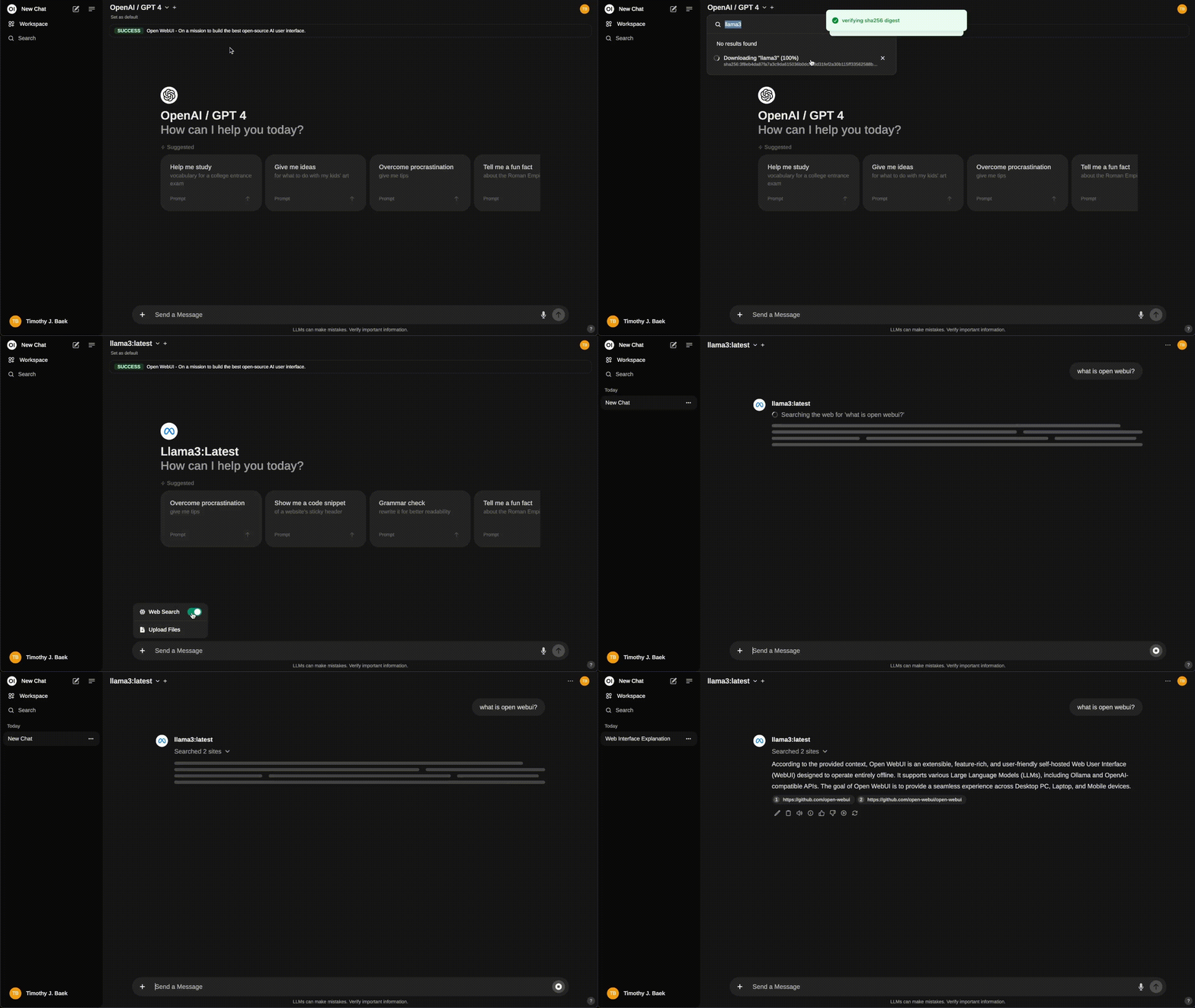
Run Ollama with an NVIDIA GPU
To accelerate model inference with an NVIDIA GPU, prepare the host and enable GPU passthrough in the Compose configuration.
-
Hardware requirements
- A server with an NVIDIA GPU (tested with an RTX 3060 12 GB)
- At least 32 GB RAM recommended
- Enough disk space for the models you plan to run
-
Host software setup
- Install the NVIDIA drivers
- Install the NVIDIA Container Toolkit
- Configure Docker to use the NVIDIA runtime
-
Coolify configuration
- Deploy Ollama with the one-click installer
- Edit the Compose configuration to add GPU support (a
deploy.resources.reservations.devicesentry with thenvidiadriver) - Add any environment variables your models need for GPU acceleration
-
Model management
- Pull and manage your preferred models
- Monitor GPU usage and adjust model parameters as needed
For a full step-by-step walkthrough, see this community guide.